Use case credit
Ken Doble @kdoble
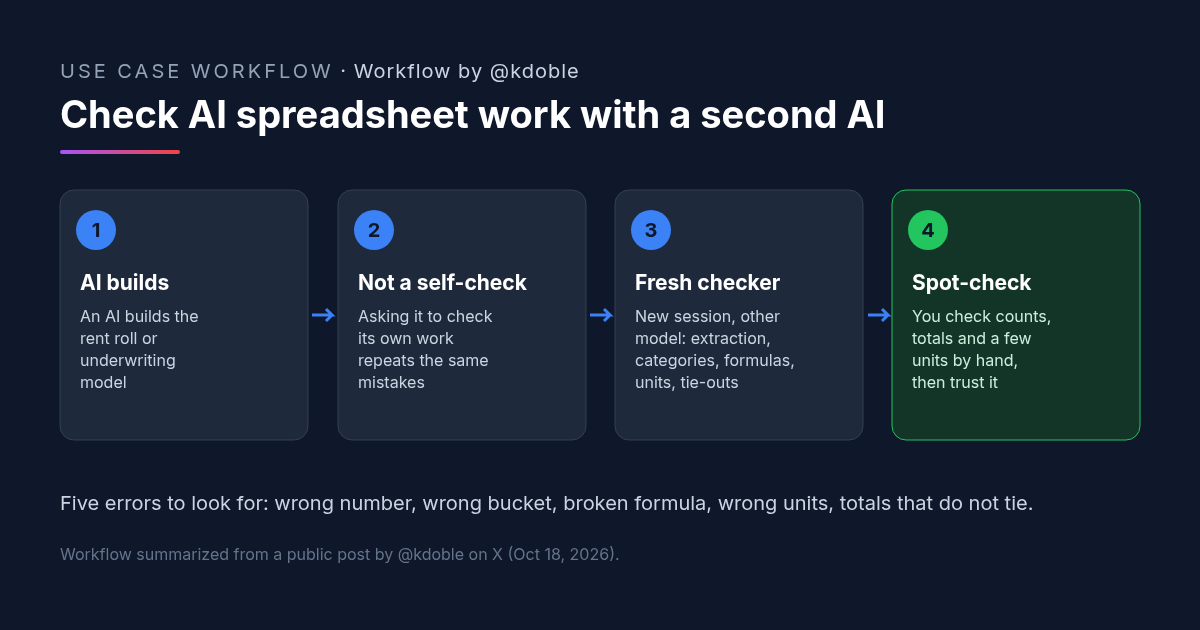
Ken Doble (@kdoble) shared five common errors in AI-built spreadsheets, and a rule for checking them, in a post on X on Oct 18, 2026.
What Doble Saw: AI Spreadsheet Analysis That Checked Itself and Said Yes
Ken Doble is a real estate investor. The post opens with a familiar moment: "My underwriter asked the AI that built his rent roll model if the numbers were right. It said yes. It had checked everything. It had extreme confidence. But should he trust it?"
Doble cites "a June 2026 benchmark" that tested top AI models on real business spreadsheets: "The best one got 34.9% of tasks fully right. On finding and fixing errors, it got 12%." His video names the source as SpreadsheetBench 2 (real business workbooks, June 2026). We haven't verified the figures, so read them as Doble's citation.
Five AI Spreadsheet Analysis Errors in a Rent Roll Model
These are "the five failures I see most," in Doble's words, with what each one looks like in a rent roll or underwriting model.
AI Spreadsheet Analysis Error 1: Extraction
"Wrong number pulled." The model reads the wrong cell, row or page from the source. In a rent roll, that can be one unit's rent attached to another unit.
AI Spreadsheet Analysis Error 2: Categorization
"Right number, wrong bucket." The figure is correct but lands in the wrong line, such as a fee counted as base rent.
AI Spreadsheet Analysis Error 3: Formulas
"Broken ranges or typed-in numbers." A sum that stops one row short, or a value typed in where a formula should be, looks fine until the inputs change.
AI Spreadsheet Analysis Error 4: Units
"Monthly vs. annual, dollars vs. thousands." One column in monthly rent next to another in annual rent will throw off every total that uses both.
AI Spreadsheet Analysis Error 5: Reconciliation
"Totals don't tie back to the source." If the model's total rent doesn't match the rent roll's total, something upstream is wrong.
The Sixth AI Spreadsheet Analysis Error: Asking the Builder to Check Itself
"The sixth one keeps the other five alive. You ask the AI that built the model to check its own work." Doble gives an example he credits to research on how models read tables (his video cites Yang et al., 2026): "a model counted 19 rows in a 20-row table. It rechecked three times. It gave the same wrong answer all three times."
A model rechecking its own work in the same session tends to repeat its own reading of the data. A fresh session starts without that history.
Doble's Rule for AI Spreadsheet Analysis: A Separate Checker in a Fresh Session
"My rule: run a separate checker in a fresh session, on a different model when you can. I have my subagents do this work. Then maybe trust the output."
And then a person still looks: "The same as with any big decision: you still have to spot-check it. I do it with my employees; why would I not do it with my AI agents?"
The post's video walks through each error with an illustrative rent roll and gives a check for each one.
How to Try It: An AI Spreadsheet Analysis Checker Prompt
Doble didn't publish a checker prompt. The one below is ours, built from Doble's five error types. Open a new session, ideally on a different model from the one that built the spreadsheet, and give it the source files and the finished model.
You are checking a spreadsheet that a different AI built. You did not build it. Assume it contains errors until you have shown otherwise.

Inputs: [source files, e.g. the rent roll PDF or export] and [the finished model].

Check for these five errors and report each finding with the cell or row, the value in the model, the value in the source, and where in the source you found it:
1. Extraction: a number in the model that doesn't match the source.
2. Categorization: a correct number placed in the wrong line or bucket.
3. Formulas: broken ranges, ranges that skip rows, or typed-in numbers where a formula should be.
4. Units: monthly vs. annual, dollars vs. thousands, or mixed units in one column.
5. Reconciliation: totals (unit count, total rent, occupied vs. vacant) that don't tie back to the source.

Count rows yourself rather than trusting the model's counts. If you can't verify something, say so instead of guessing. Do not edit the model. End with a short list of the items a person should spot-check first.
What to Spot-Check After AI Spreadsheet Analysis
- Row and unit counts. Count them yourself against the source. Doble's 19-of-20 example is the kind of miss that self-checks repeat.
- A handful of units, end to end. Pick a few units and trace each from the source to every place it appears in the model.
- Totals. Total rent and unit count should tie to the source document.
- Units and periods. Confirm every rent column is the same period and scale.
- Hardcodes. Click into totals and key outputs to make sure they are formulas.
In his video, Doble adds his own spot-checks. The numbers in it are illustrative, not from a real deal:
- Tie three numbers back to the source and match the unit count. Pick three figures and find each one in the original document.
- Flag any charge that could fit a second bucket. Those are where categorization errors hide (a $35 pet fee counted as base rent).
- Change an input and watch what doesn't move. A cell that should react but doesn't is a hardcode or a broken formula (in his example, a $703,800 total was typed in, so raising rents $50 didn't change it).
- Run big numbers per unit. His illustrative example: 51 units at $1,150 is $58,650, which is one month of rent labeled as a year. The right annual figure is $703,800.
- Tie totals to the dollar. Don't write off small variances as rounding ($1,800 a year was one missed $150 monthly charge).
FAQ: Checking AI Spreadsheet Analysis in Real Estate
Can you trust AI spreadsheet analysis on a rent roll?
What are the most common AI spreadsheet analysis errors?
Why shouldn't the AI that did the spreadsheet analysis check its own work?
How accurate is AI spreadsheet analysis today?
More AI use cases
All use cases →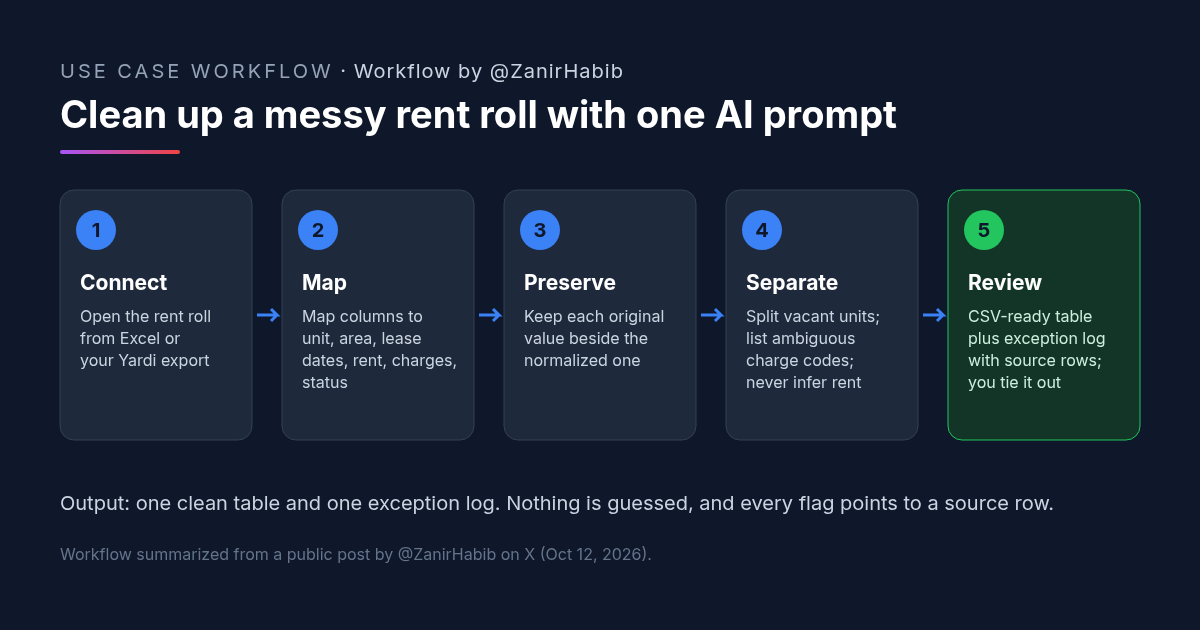
How to Clean Up a Rent Roll With AI: A Copyable Prompt
Clean a messy rent roll with one AI prompt: map columns to a standard template, keep originals, separate vacants, and get an exception log.
Credit: @ZanirHabib · Oct 19, 2026 · 6 min read
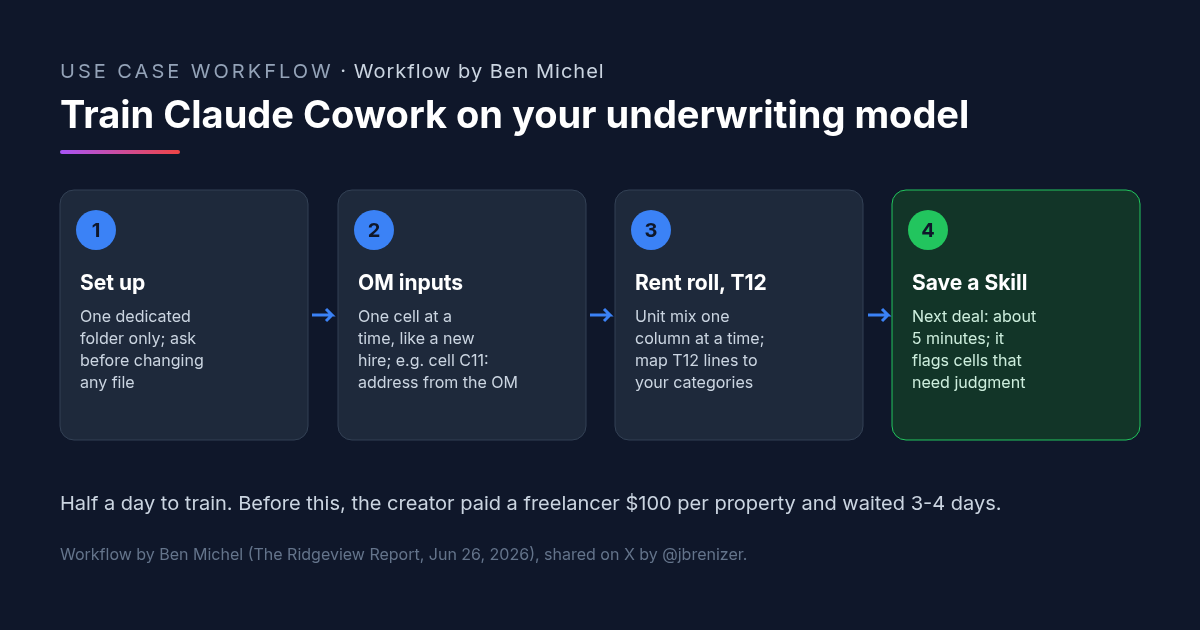
Multifamily Underwriting With Claude Cowork: How One Investor Trained It on His Own Spreadsheet
Multifamily underwriting with Claude Cowork: one investor taught it his model from the OM, rent roll and T12, saved a Skill, and now fills it in 5 minutes.
Credit: @jbrenizer · Oct 19, 2026 · 6 min read
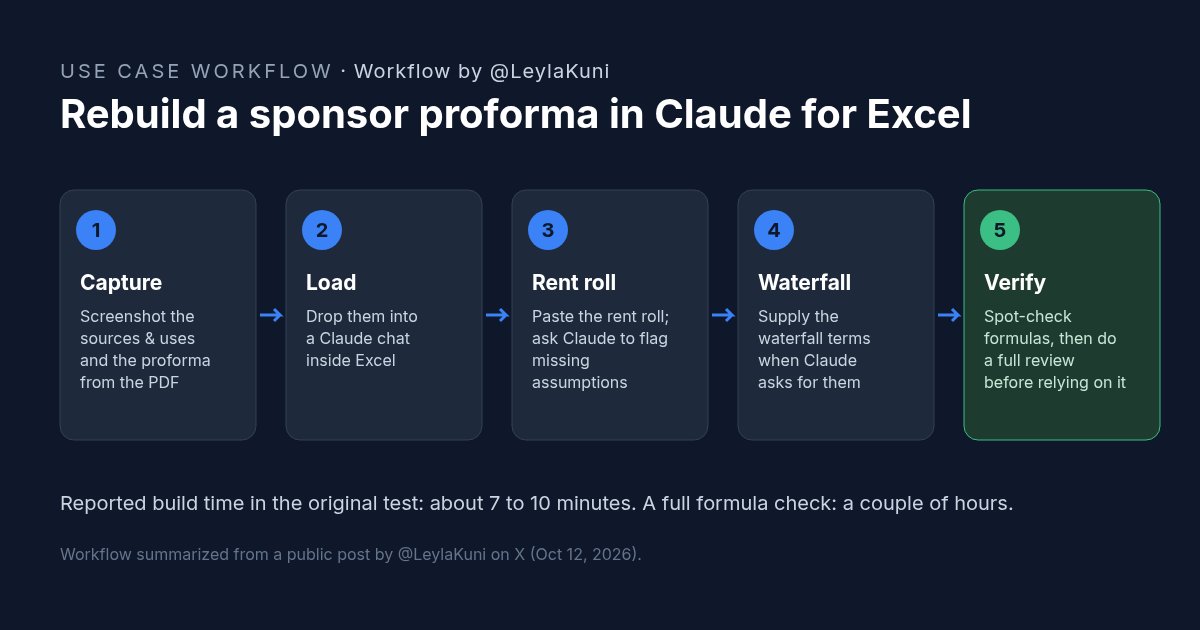
How to Rebuild a Real Estate Proforma in Claude for Excel
Rebuild a sponsor proforma in Claude for Excel from screenshots and a rent roll in about 10 minutes. Workflow, copyable prompt, and what to check.
Credit: @LeylaKuni · Oct 19, 2026 · 6 min read