What She Did: Rebuilt a "Proprietary" Real Estate Proforma in Claude for Excel
When a sponsor says the proforma is proprietary, investors usually get a PDF and no live model. Leyla's response was to rebuild it herself with AI.
Her process, in our words:
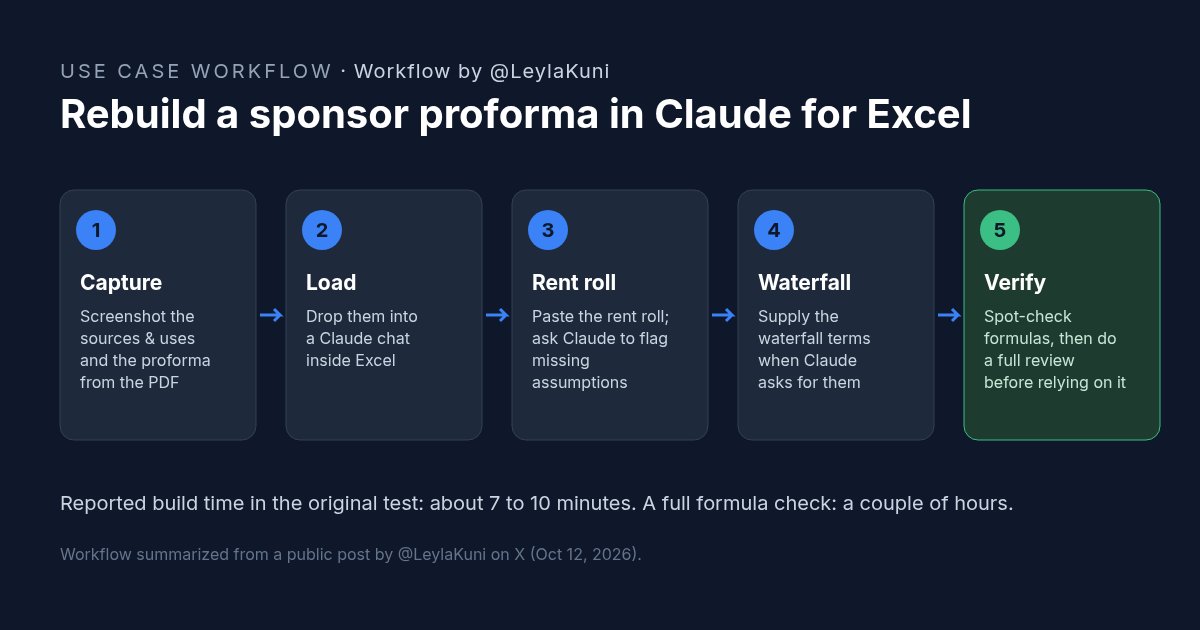
- Captured the deal. She took screenshots of the sources and uses and the proforma, then put them into a Claude chat inside Excel.
- Added the rent roll. She pasted the rent roll in and told Claude to flag any missing assumptions.
- Answered Claude's question. Claude asked for the waterfall. She supplied it with one more screenshot, and Claude built the model.
- Checked the work. She spot-checked several formulas. She estimated a full check would take a couple of hours, still faster than building the model by hand.
She reported the build took about 7 to 10 minutes. Her conclusion was measured: don't trust it blindly, but you can see what the sponsor thinks is proprietary in roughly 20 minutes.
Why Claude for Excel Matters for CRE Investors
LPs and smaller investors often can't open a sponsor's model, so they can't stress-test it. Rebuilding the proforma puts the assumptions in front of you, including rent growth, expenses, debt, the exit, and how cash is split in the waterfall.
The point isn't to recreate the sponsor's numbers to the dollar. The point is to find the few inputs that drive the return. Leyla made the same point herself: a proforma doesn't make a deal succeed, and no model saves a levered deal if cap rates widen sharply. She also noted that the more tiers a waterfall has, the less she trusts it.
The tool is now built for this kind of work. Anthropic describes Claude for Excel as an add-in that can build or populate models, work across multi-tab workbooks, and adjust assumptions while keeping formula relationships intact.
How to Try It: A Copyable Claude for Excel Proforma Prompt
You need Claude for Excel installed (per Anthropic's documentation, it's available on Pro, Max, Team, and Enterprise plans), the sponsor's PDF, and the rent roll. Open a blank workbook, start a Claude chat, attach your screenshots, and paste this:
Leyla did not publish a prompt. The prompt below is CRE AI Studio's version of the workflow she describes.
I'm reviewing a commercial real estate deal. Attached are screenshots of the sponsor's sources and uses and proforma. The rent roll is pasted below.

1. Before building anything, list every assumption you need that is not in these materials (for example: waterfall terms, loan terms, exit cap rate, rent and expense growth, reserves). Ask me for them. Do not invent numbers.
2. Rebuild the model in this workbook with live formulas, not hardcoded values. Put all inputs on an Assumptions tab and label the source of each one: screenshot, rent roll, or "provided by me."
3. Use separate tabs for sources and uses, annual cash flow, debt service, and the equity waterfall.
4. Reconcile your NOI, cash flow, and returns to the sponsor's figures. List every difference over 1% and its likely cause.
5. Add a Review tab listing the formulas I should check first, and keep formulas simple enough to audit.

Rent roll:
[paste here]
If Claude asks a question, answer it rather than letting it assume. The quality of the model depends on the inputs you confirm.
What to Check Before You Rely on a Claude for Excel Proforma
- Transcription. Compare a sample of numbers read from the screenshots against the PDF. A single misread digit can move the returns.
- Rent roll tie-out. In-place revenue in the model should match the rent roll total, including vacant units and concessions.
- Waterfall terms. Check every tier, preferred return, hurdle, and catch-up against the operating agreement, not just the investor deck.
- Hardcodes. Look for typed-in numbers inside formulas, and confirm that changing an input on the Assumptions tab flows through every tab.
- Exit and leverage. Stress the exit cap rate and the interest rate. That's where the creator says the real risk sits.
- Confidentiality. Confirm that your NDA and your firm's AI policy allow uploading sponsor materials to the tool you're using.
Anthropic's own guidance cautions against using Claude for Excel for final deliverables or audit-critical calculations without human review. Treat the output as a first draft you have to verify.
FAQ: Claude for Excel and Real Estate Proformas
Can Claude for Excel rebuild a real estate proforma from a PDF?
What is Claude for Excel?
Can Claude for Excel model a real estate equity waterfall?
Should I trust a real estate proforma built in Claude for Excel?
Why rebuild a sponsor's real estate proforma at all?
More AI use cases
All use cases →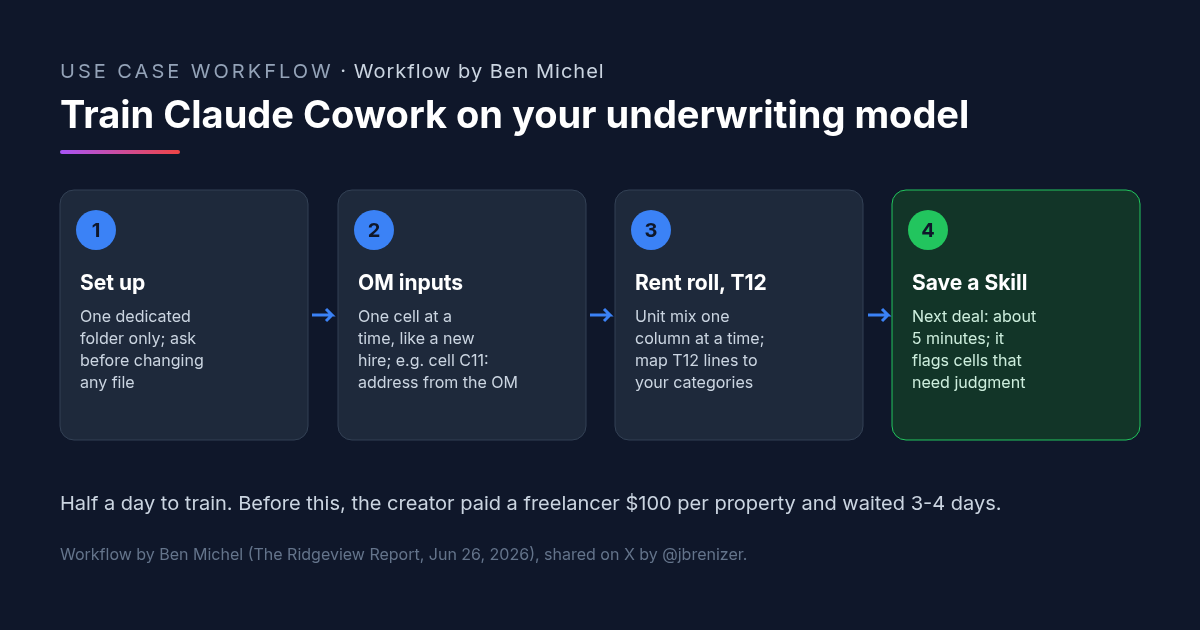
Multifamily Underwriting With Claude Cowork: How One Investor Trained It on His Own Spreadsheet
Multifamily underwriting with Claude Cowork: one investor taught it his model from the OM, rent roll and T12, saved a Skill, and now fills it in 5 minutes.
Credit: @jbrenizer · Oct 19, 2026 · 6 min read
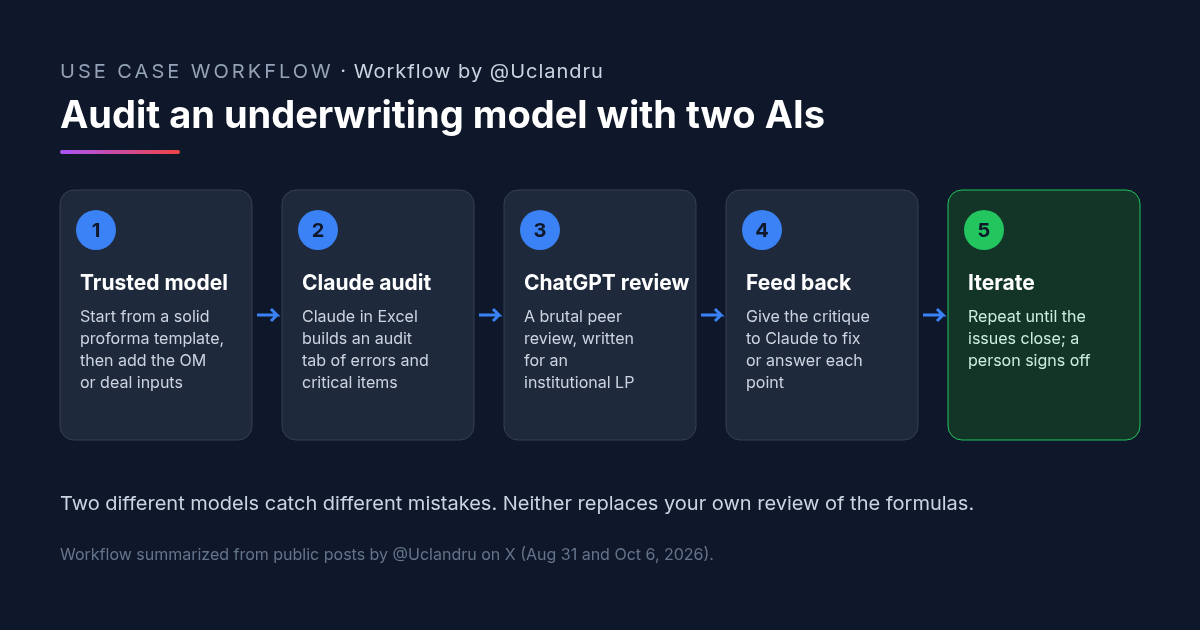
How to Review a Real Estate Underwriting Model With Claude and ChatGPT
Real estate underwriting review: Claude builds an audit tab, ChatGPT peer-reviews like an institutional associate, then back to Claude. Prompts and checks.
Credit: @Uclandru · Oct 19, 2026 · 6 min read
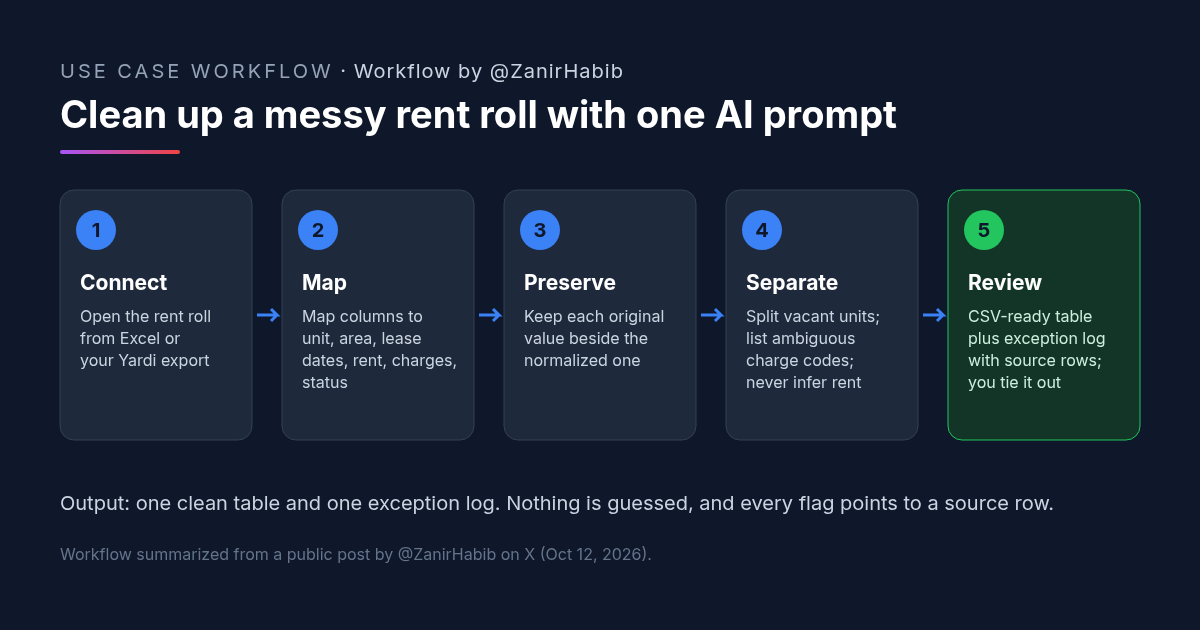
How to Clean Up a Rent Roll With AI: A Copyable Prompt
Clean a messy rent roll with one AI prompt: map columns to a standard template, keep originals, separate vacants, and get an exception log.
Credit: @ZanirHabib · Oct 19, 2026 · 6 min read