Use case credit
Jason Brenizer @jbrenizer
Jason Brenizer (@jbrenizer) shared Ben Michel's Claude Cowork multifamily underwriting workflow in a post on X on Oct 17, 2026. The workflow and every quote below come from Ben Michel, founder of Ridgeview Property Group, in his newsletter The Ridgeview Report (Jun 26, 2026).
What Michel Did: Trained Claude Cowork on a Multifamily Underwriting Spreadsheet
Ben Michel is the founder of Ridgeview Property Group, an investment firm specializing in multifamily real estate. For years he paid a freelancer to populate his underwriting spreadsheets: "$100 per property and a wait of 3-4 days." The cost was fine. The wait was the problem: "You can't move on a deal until someone else finishes their part."
In his June 2026 newsletter, The Ridgeview Report, he describes how he replaced that step with Claude Cowork, Anthropic's desktop agent that can read and change files on your computer. Jason Brenizer summed it up on X: "Ben Michel spent half a day teaching Claude his spreadsheet from the real estate OM, rent roll, and T12."
Michel also notes, "I have zero coding knowledge. The entire thing ran on verbal instructions, nothing more."
The Multifamily Underwriting Setup Rules He Calls Non-Negotiable
Because Cowork "can access and modify files directly on your computer," Michel says to approach it carefully. His setup steps:
- Require Claude to ask permission before modifying any file.
- Give it access only to a dedicated folder, not your entire machine.
- Pay for the Pro account ($20/mo when he wrote the post).
He also suggests watching an introduction video first; he points to one from YouTuber Jeff Su.
Cell by Cell: Teaching Claude the Multifamily Underwriting Inputs
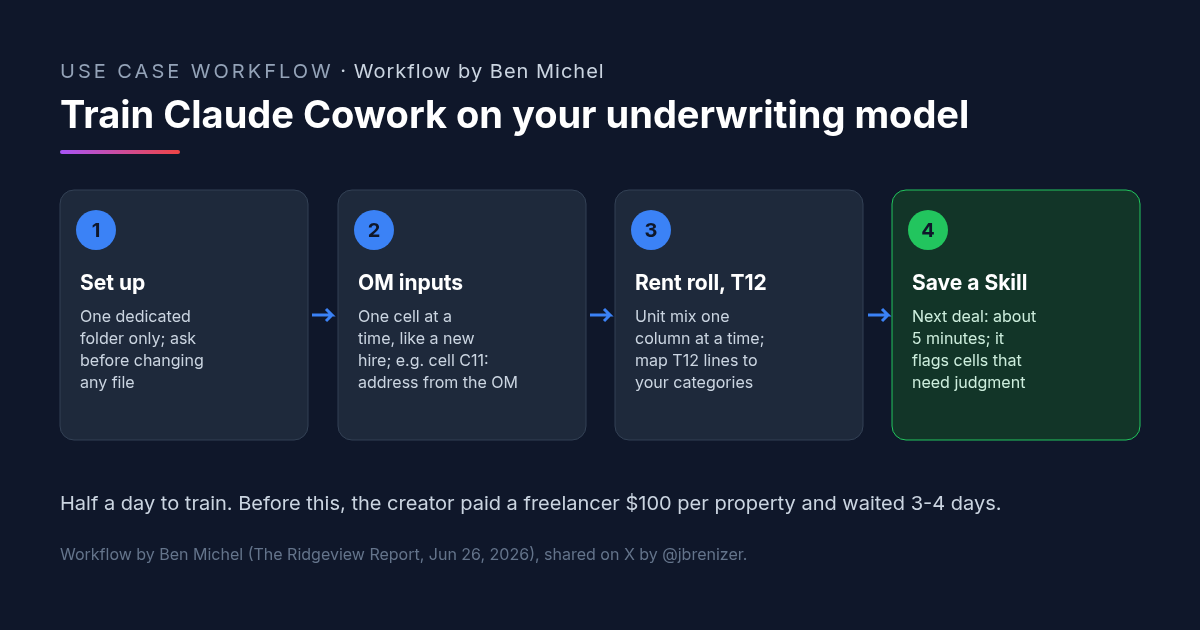
"Your underwriting spreadsheet has a set of input cells that need to be filled. Walk Claude through them one at a time, exactly as you would when training a new hire."
Step 1: Multifamily Underwriting Inputs From the OM
For the property address, he told Claude: "For cell C11, open the offering memorandum and find the listed property address. It is usually on the first four pages." Claude does it, he checks it, and they move on.
For data the OM doesn't have, Claude can search the web. For the Median Income cell: "Search city-data.com for [city name] area median income of the subject property and input the figure."
Step 2: Rent Roll to Unit Mix in the Multifamily Underwriting Model
This part "takes more work, but the key is to go carefully and slowly, one column at a time." He has Claude locate the rent roll and bring it into the spreadsheet, then: "Look at the rent roll and identify how many different unit layouts are present. List each one under Unit Type on the unit mix tab." After that is checked, he moves to Unit Count, then Average Square Footage, and so on until the table is complete.
Step 3: Mapping the T12 to Your Multifamily Underwriting Categories
Same approach: Claude brings in the T12, then "Go through the T12 statement line by line and map each income and expense item to my standardized categories." He spells out his conventions: Late Fees map to Other Income, Snow Removal to Contract Services, Office Supplies to General/Admin. "For anything unclear, tell Claude to stop and check with you before mapping."
Step 4: Save the Multifamily Underwriting Session as a Skill
"That first session took hours, but by the end, every component was working correctly." He then asked Claude to save a Skill based on the conversation, so he wouldn't have to repeat the instructions. On the next property, "I dropped in the OM and rent roll, and Claude already knew the layout. It mapped the T12 without asking and flagged only the cells that needed my judgment. What had taken hours took 5 minutes."
Training It Like a New Hire: The Multifamily Underwriting Payoff
The method is the same one you would use with a junior analyst: one instruction, one check, then the next cell. Each instruction names a specific cell, a specific file and where in that file to look. That keeps errors small and easy to catch during training, before anything is saved as a Skill.
The T12 rules matter most. Mapping expense lines is a judgment call, and writing down your own conventions (and telling Claude to stop when a line doesn't fit) keeps the model consistent from deal to deal. Michel's summary of the trade: half a day of training in exchange for no per-deal fee and no multi-day wait.
How to Try It: A Multifamily Underwriting Prompt for Claude Cowork
Michel published individual instructions, not a single prompt. The prompt below is ours: it strings his quoted instructions together and adds a stop-and-check after each step. Replace the bracketed parts with your own cells, tabs and categories.
We are filling my underwriting spreadsheet [file name] for the deal in this folder. The folder has the offering memorandum, the rent roll and the T12. Work on a copy of the spreadsheet. Ask before modifying any file. Go one step at a time and wait for my OK after each step.

1. For cell C11, open the offering memorandum and find the listed property address. It is usually on the first four pages.
2. For the cell labeled Median Income, search city-data.com for [city name] area median income of the subject property and input the figure. Tell me the page you used.
3. Locate the rent roll file and bring it into the spreadsheet. Look at the rent roll and identify how many different unit layouts are present. List each one under Unit Type on the unit mix tab. Stop for my check. Then fill Unit Count, then Average Square Footage, then [next columns], one column at a time.
4. Locate the T12 file and bring it into the spreadsheet. Go through the T12 statement line by line and map each income and expense item to my standardized categories:
   - Late Fees -> Other Income
   - Snow Removal -> Contract Services
   - Office Supplies -> General/Admin
   - [your other rules]
   For anything unclear, stop and check with me before mapping.
5. When everything is verified, save this workflow as a Skill named "[Underwrite deal]".
What to Check in an AI-Filled Multifamily Underwriting Model
- Unit mix totals. Total units and average rents on the unit mix tab should tie to the rent roll.
- T12 mapping. Total income and total expenses after mapping should equal the T12 totals. Look at every line Claude placed in a category on its own.
- Web-sourced inputs. Check figures pulled from the internet, such as median income, for the right city and date.
- Flagged cells. Michel says the Skill flags cells that need judgment. Those are yours to decide.
- The Skill after changes. If you change the spreadsheet layout, retrain or update the Skill before trusting it on a new deal.
FAQ: Multifamily Underwriting With Claude Cowork
Can Claude Cowork do multifamily underwriting?
How long does it take to train Claude for multifamily underwriting?
What files does Claude need for multifamily underwriting inputs?
Is it safe to give Claude Cowork access to multifamily underwriting files?
More AI use cases
All use cases →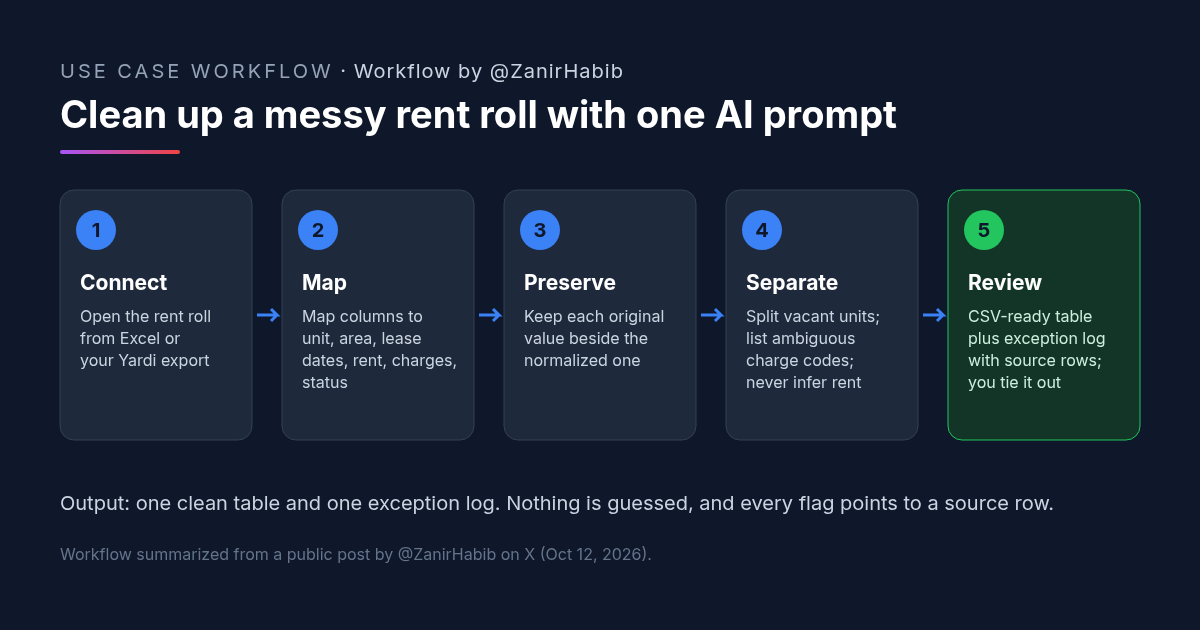
How to Clean Up a Rent Roll With AI: A Copyable Prompt
Clean a messy rent roll with one AI prompt: map columns to a standard template, keep originals, separate vacants, and get an exception log.
Credit: @ZanirHabib · Oct 19, 2026 · 6 min read
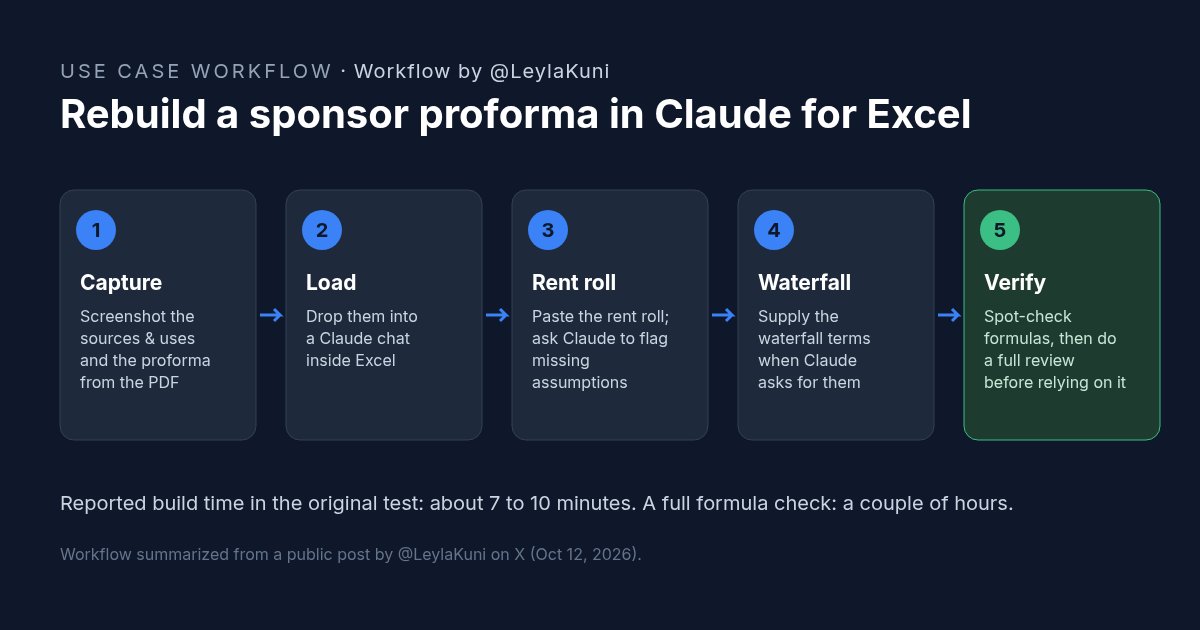
How to Rebuild a Real Estate Proforma in Claude for Excel
Rebuild a sponsor proforma in Claude for Excel from screenshots and a rent roll in about 10 minutes. Workflow, copyable prompt, and what to check.
Credit: @LeylaKuni · Oct 19, 2026 · 6 min read
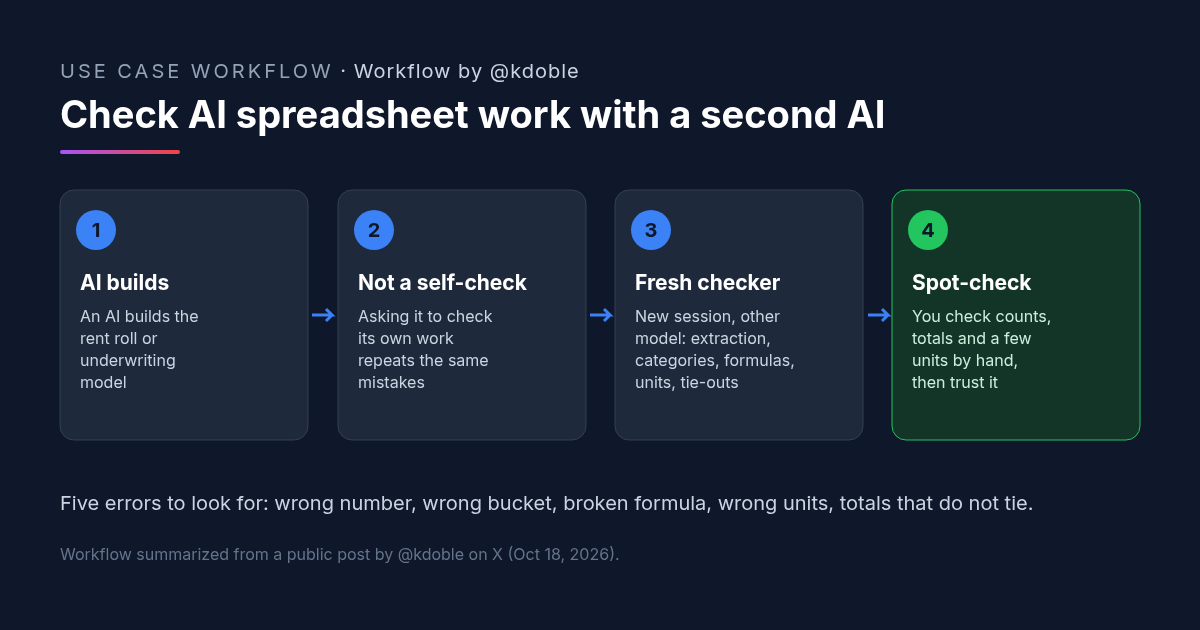
AI Spreadsheet Analysis in Real Estate: Five Errors to Catch Before You Trust a Rent Roll Model
AI spreadsheet analysis fails in five ways: extraction, categorization, formulas, units and reconciliation. A real estate investor's rule for checking it.
Credit: @kdoble · Oct 19, 2026 · 5 min read