Use case credit
B-Team @CA_BES1
B-Team (@CA_BES1) posted this 10-part thread on using Muse for commercial real estate deal sourcing on X on Sep 24, 2026.
What @CA_BES1 Did: Meta Muse as a CRE Deal Sourcing Routine
B-Team, who posts as @CA_BES1, describes their work as "mostly commercial real estate and looking for properties." Their thread opens with the point: "Muse... Most people will use it to book dinner reservations. Here's how to turn it into a CRE deal sourcing machine instead. Give it the right access, and routine."
Muse is Meta's personal AI agent, launched Sept 8, 2026. It can use websites for you, which is what the thread relies on: it navigates listing and property data sites on a schedule and reports back. The thread has ten parts. Below are the steps in order, quoted where the wording matters.
The Meta Muse Deal Sourcing Setup, Step by Step
Meta Muse Step 1: Put Your Buy Box in Memory
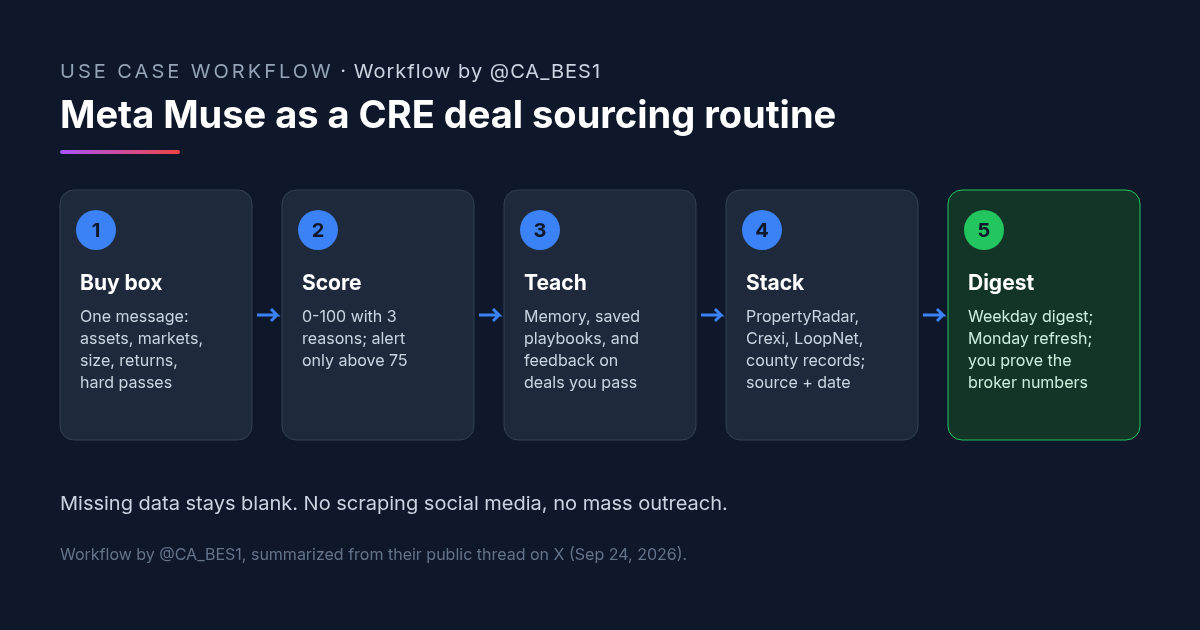
"Start with your buy box. One message, plain language: asset types, markets, deal size, return targets, leverage + hold, owner situations you like, hard passes. Tell Muse to remember it."
Meta Muse Step 2: Score Every Lead and Show the Reasons
The "best first instruction," in their words: "score every lead 0–100, give 3 reasons, and don't alert me unless it clears 75." Then: "Make it show the pass/fail reason every time. You want to audit the filter."
Meta Muse Step 3: Teach It Three Ways
- Memory: "tell it your criteria once, it applies them everywhere."
- Playbooks: "walk it through a task once, it reruns it on command."
- Feedback: "tell it why you passed on a deal, it turns that into a new rule."
Meta Muse Step 4: Save a Playbook for Each Site
Their PropertyRadar example: "County → multifamily 5+ → absentee owner → 40%+ equity → 7+ yr tenure → export owner + mailing address. Save it, rerun every Monday." They add that you can set whatever parameters fit, because Muse "can navigate the site." The tip that keeps playbooks working: "Describe fields, not clicks. (Sites can move buttons)."
Meta Muse Step 5: Stack the Sources
- Off-market: PropertyRadar.
- Listed: Crexi and LoopNet.
- Verification: county assessor and tax records.
- Distress: foreclosures, code violations and probate (they find PropertyRadar has a lot of this).
- Plus: permits, business journals and broker blasts in email.
Meta Muse Step 6: Corroborate Distress Signals
"One code violation is noise... Unpaid taxes + long ownership + an out-of-area mailing address is more meaningful. Keep the source link and date next to every signal."
Meta Muse Step 7: Put It on a Schedule
Weekdays: a digest of new leads that clear the box. Mondays: refreshed owner lists. Alerts only for 85+ scores, 7%+ price cuts, or near deadlines. "It runs periodically, not real-time. Which is fine."
Meta Muse Step 8: Use It for the First-Pass Review
The thread says it also speeds up first-pass review: "OM teardowns with missing items flagged, comps with sources, cap rate and DSCR with formulas shown, and a red-flag scan that outputs questions."
The Meta Muse Rules That Keep Deal Sourcing Honest
Part 9 of the thread is a short list of rules:
- "Broker numbers need to be proved."
- "Missing data stays blank, no guessing" (unless you edit the comps yourself).
- "Try not to do social media scraping or mass outreach. Your relationships are part of the asset base, you'll look bad spamming people."
Their summary: "Muse's edge isn't answering questions. It's learning the niche RE sites nobody wants to click through every day, and running them for you."
Meta Muse Use Cases for CRE: Why This Deal Sourcing Approach Works
- The filter is auditable. A score with three reasons, and a pass or fail reason on every lead, lets you see when the agent is applying your buy box wrong. A bare yes or no would hide that.
- Alerts stay rare. The 75 and 85 thresholds mean you hear about a small number of leads, not every listing that loosely matches.
- Signals come with evidence. Requiring two or three distress signals together, each with a source link and date, keeps a single code violation from looking like a motivated seller.
- Playbooks survive site changes. Describing the fields you want instead of the buttons to click gives the agent a goal it can still reach when a page layout moves.
This is the outbound side of sourcing: finding owners and properties that fit. For screening deals that arrive by email, see our real estate deal analyzer article. For LLC piercing and skip tracing, see off market commercial real estate sourcing with AI.
How to Try It: A Meta Muse Buy Box and Scoring Prompt
@CA_BES1 didn't post one complete prompt. The message below is ours. It combines their buy box fields, their scoring instruction (quoted unchanged) and their rules. Fill in the brackets, send it once, and ask Muse to remember it.
[CRE AI Studio prompt, built from @CA_BES1's thread]
Remember this as my commercial real estate buy box and apply it to every lead you look at.
Asset types: [e.g. multifamily 5+ units, small-bay industrial]
Markets: [counties or metros]
Deal size: [price range]
Return targets: [e.g. going-in cap rate, cash-on-cash]
Leverage and hold: [e.g. 65% LTV, 5-7 year hold]
Owner situations I like: [e.g. absentee owner, 7+ years of ownership, 40%+ equity]
Hard passes: [anything you never want to see]
score every lead 0–100, give 3 reasons, and don't alert me unless it clears 75.
Show the pass/fail reason every time.
Rules:
- Keep the source link and date next to every signal.
- Treat one distress signal as noise. Only count distress when two or more signals agree (for example unpaid taxes, long ownership and an out-of-area mailing address).
- Missing data stays blank. Never guess a number.
- Broker numbers are claims until I verify them.
- Never contact owners, brokers or anyone else. Just report to me.
Schedule: weekdays, send me a digest of new leads that clear the box. Mondays, rerun my saved owner-list searches. Alert me sooner only for scores of 85+, price cuts of 7% or more, or near deadlines.Then walk it through one saved search, such as their PropertyRadar example, and ask it to save that as a playbook it can rerun.
What to Check in a Meta Muse Deal Sourcing Routine
- Read the reasons. For the first few weeks, open the pass and fail reasons on leads it rejected, not only the ones it sent you.
- Source links work. Click a sample of the source links and dates on each digest and confirm the signal is really there.
- Site terms. Check that each site's terms of use allow an agent to search it for you, and stop if a site blocks automated use.
- Owner data handling. Owner names and mailing addresses are personal data. Keep exports private and follow the data provider's terms.
- No outreach. Keep contact with owners and brokers in your own hands, as the thread advises.
- Broker numbers. Anything from an OM or listing is unverified until you tie it to records, leases and statements yourself.
FAQ: Meta Muse for CRE Deal Sourcing
Which Meta Muse use cases help find commercial real estate deals?
How should Meta Muse score CRE leads?
Does Meta Muse run deal searches in real time?
What should Meta Muse never do in deal sourcing?
More AI use cases
All use cases →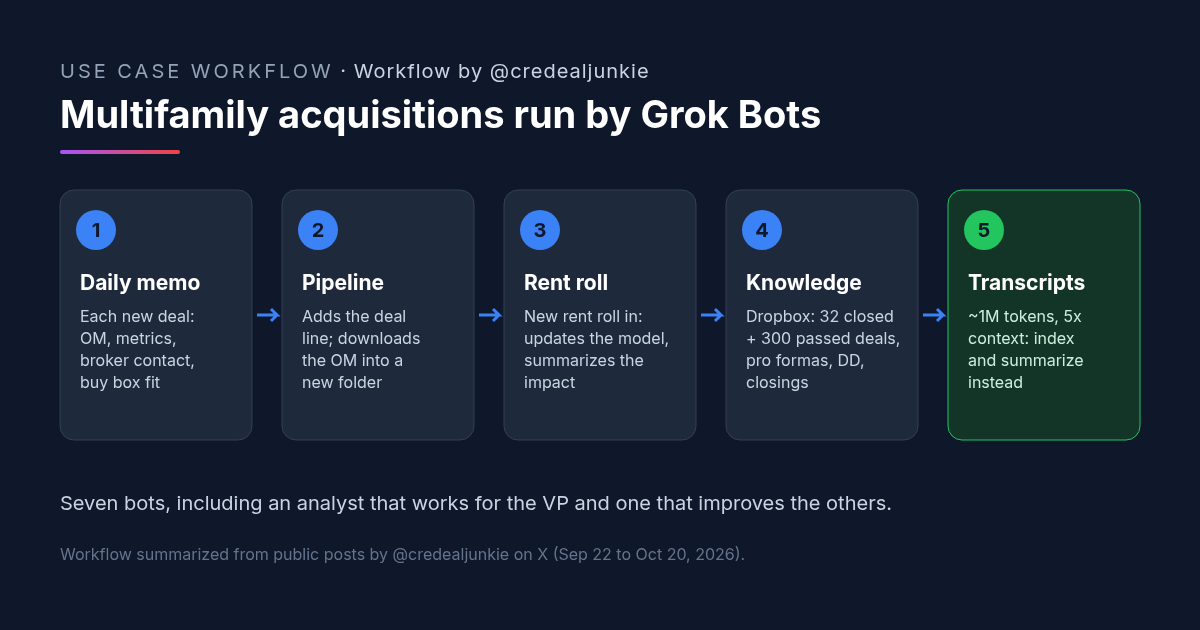
Multifamily Acquisitions With Grok Bot: A VP of Acquisitions Bot and a Deal Knowledge Base
For multifamily acquisitions, Andrew Jeffery runs a Grok Bot VP of Acquisitions for deal memos and pipeline admin, plus a knowledge base of 300+ past deals.
Credit: @credealjunkie · Oct 23, 2026 · 6 min read
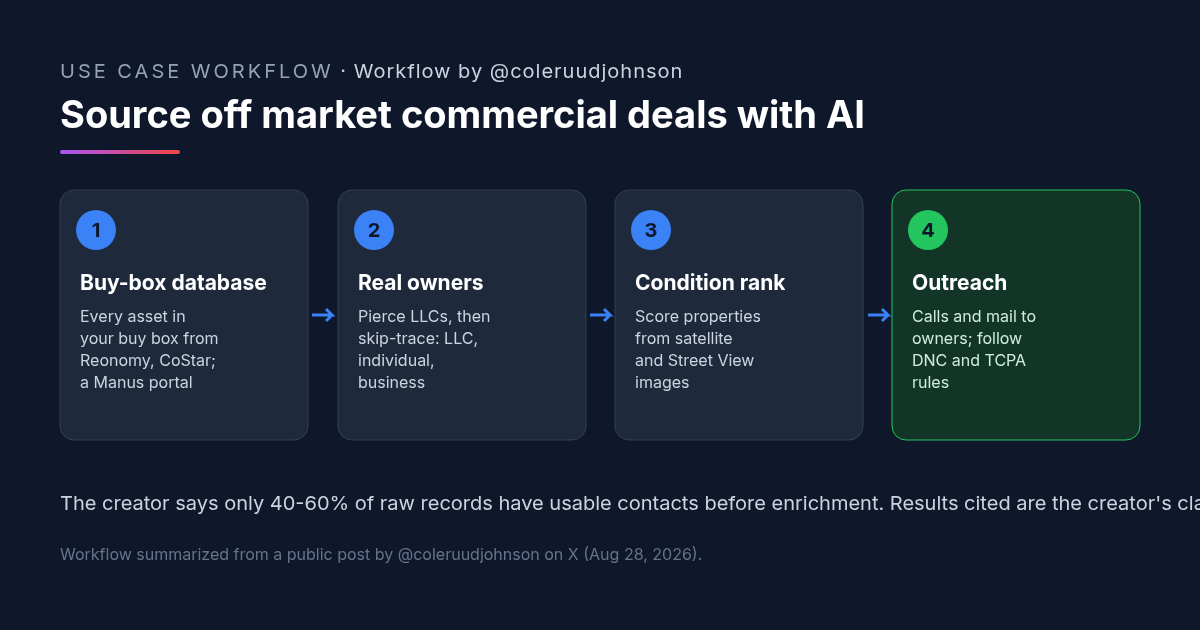
Off Market Commercial Real Estate Deal Sourcing With AI: Buy-Box Database, LLC Owners and Condition Scores
Off market commercial real estate sourcing with AI: build a buy-box database, find the owners behind LLCs, skip-trace in three passes, rank by condition.
Credit: @coleruudjohnson · Oct 19, 2026 · 6 min read
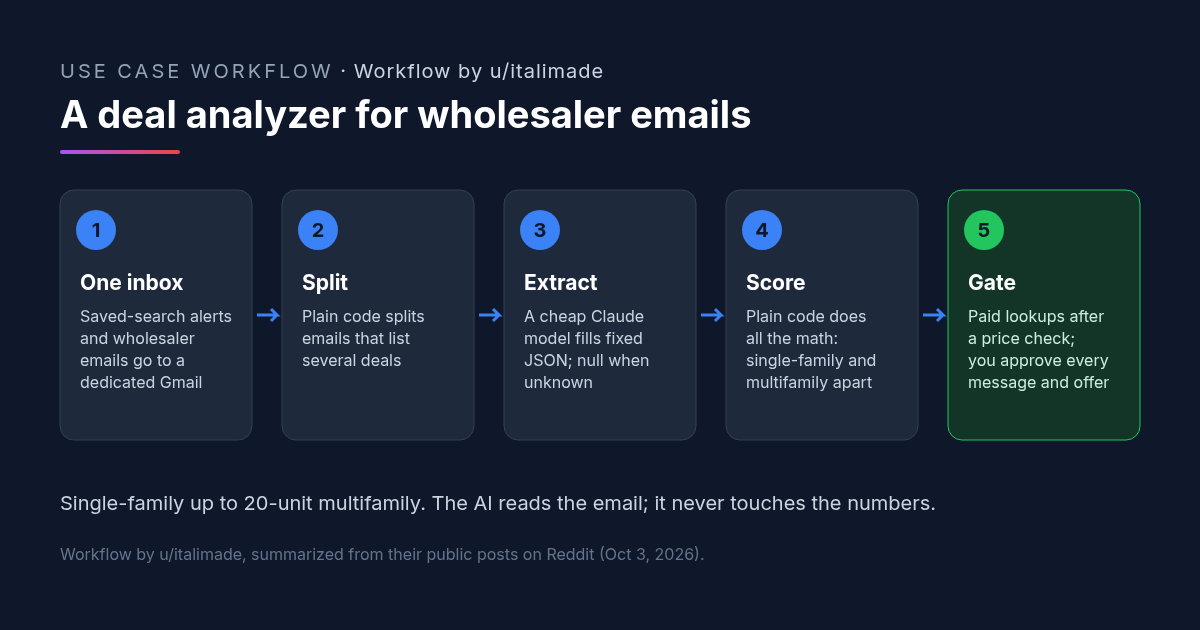
AI Real Estate Deal Analyzer: Scoring Wholesaler Emails With Claude Code
A real estate deal analyzer built with Claude Code: a cheap Claude model turns deal emails into JSON, plain code scores them, a person approves offers.
Credit: u/italimade · Oct 19, 2026 · 7 min read