Use case credit
Joseph R. Nosef @jrnosef
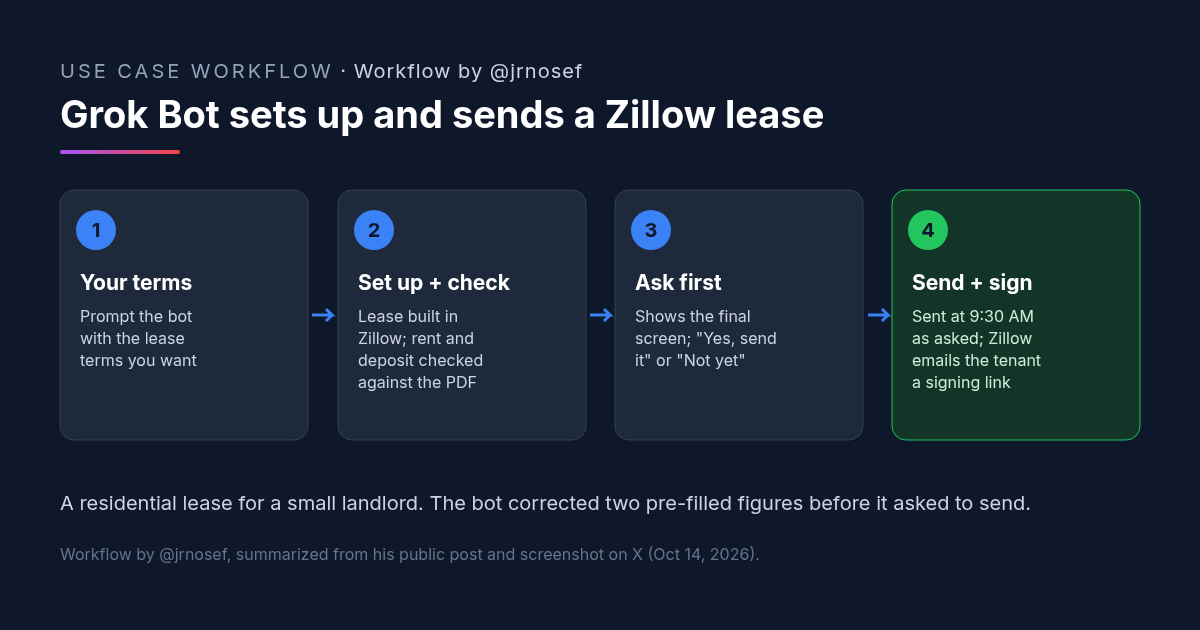
Joseph R. Nosef (@jrnosef) posted this Grok Bot lease workflow, with a screenshot of the chat, on X on Oct 14, 2026. It is for his residential rental properties.
What Joseph Did: Grok Bot Set Up a Zillow Lease Agreement and Sent It for E-Sign
Joseph R. Nosef owns residential rental properties. His post on X opens with "I'm done using a property manager to manage my residential real estate rental properties," and then describes what his Grok Bot did instead:
"@bot successfully logged into my rental management website, generated a lease agreement based on my prompt, incorporating the terms I requested, added signature boxes, and sent the lease agreement along with a friendly message to the tenants via email."
He adds that he slept in and woke up to the lease already signed by both tenants, because Grok Bot had sent the scheduled contract before he was up.
He didn't share his prompt. He did share a screenshot of the chat with his bot, which he calls "Property Manager Michael M." The screenshot shows the rental site was Zillow and fills in the steps the post skips. Tenant names are blacked out in it.
This is a residential lease for a small landlord, not a commercial lease. We cover it because the pattern of a bot preparing a standard lease, checking it and asking before it sends is useful for anyone who handles leases.
The Check That Caught Two Wrong Numbers in the Zillow Lease Agreement
The most useful part of the screenshot is the bot's report before sending. It says the lease is set up in Zillow, runs Dec 1, 2026 to Nov 30, 2027, with $1,900 rent and a $1,600 deposit, "which matches the PDF." Then: "Zillow had filled in $1,800 and $1,650, so I corrected both."
The bot also lists who signs where: Joseph and the tenant each sign and date in four places, and another person's lines stay blank for later. It says that when it clicks "Request signatures," Zillow emails the tenant her signing link.
Then it stops and asks: "Send the lease to [tenant] for signing now?" with two options, "Yes, send it" and "Not yet." Joseph replied, "Can you send it at 9:30 am?" and the bot confirmed it would send at 9:30 AM ET that morning. Earlier in the chat, the bot had said it would show him the final screen before anything was sent.
Why This Zillow Lease Agreement Workflow Works for a Small Landlord
- The terms come from you. Joseph's post says the lease used "the terms I requested." The bot fills a form; it doesn't invent the deal.
- A source document to check against. The bot compared the Zillow lease with a PDF and fixed the two figures that didn't match. Pre-filled fields are exactly where a wrong number slips through.
- A stop before sending. The bot showed the final screen and asked before it requested signatures. Sending a lease is hard to undo, so keep that pause.
- Scheduling. Joseph picked a send time, and the bot sent it then. The signatures came back while he was asleep.
How to Try It: A Grok Bot Prompt for a Zillow Lease Agreement
Joseph didn't post his prompt, so the one below is ours, built from what his screenshot shows the bot doing. Fill in the brackets. You'll need to be signed in to your rental account in the bot's browser, or log it in yourself when it asks.
[CRE AI Studio prompt, based on the steps in @jrnosef's screenshot]
Set up a lease in my Zillow rental account for [property / unit] using these terms: tenants [names and emails], start [date], end [date], monthly rent [amount], security deposit [amount], plus [any other terms].
The attached PDF is my source of truth. After you set up the lease, compare every term on the Zillow lease with the PDF. If Zillow pre-filled anything differently, change it to match the PDF and tell me exactly what you changed, from what to what.
List who signs and dates where, and which lines stay blank.
Show me the final screen before anything is sent. Do not click "Request signatures" or email anyone until I reply "Yes, send it". If I give you a time instead, send it at that time and confirm when it has gone out.What to Check Before a Zillow Lease Agreement Goes Out
- Every number against your source. Rent, deposit, dates and fees. Joseph's bot found two pre-filled figures that were wrong; read its list of changes yourself.
- The final screen. Look at it before you say yes, including names, emails and the property address.
- Signature fields. Check that every signer has the right boxes, and that lines meant to stay blank do.
- Local rules. Lease terms, deposits and required disclosures depend on where the property is. A bot filling a form doesn't check that.
- The message to tenants. Ask to see the email text before it goes, since it goes out under your name.
- Account access. The bot works inside your rental account. Decide what it may do there, and keep the rule that it asks before sending or signing anything.
Is This Zillow Lease Agreement Workflow Useful in Commercial Real Estate?
Not directly. Joseph's lease is residential, and Zillow's lease tools are built for residential rentals. Commercial leases are usually negotiated between the parties and their counsel, so a bot filling a standard form isn't the hard part.
What carries over is the routine: give the bot the agreed terms and a source document, have it fill whatever system you send documents from, make it list every difference it found and fixed, and make it wait for your yes. For commercial lease work, see our commercial lease review method and our AI lease abstraction workflow.
FAQ: Grok Bot and the Zillow Lease Agreement
Can Grok Bot fill out and send a Zillow lease agreement?
How does the Zillow lease agreement get signed electronically?
Should a bot send a Zillow lease agreement without asking first?
Does this Zillow lease agreement workflow work for commercial leases?
More AI use cases
All use cases →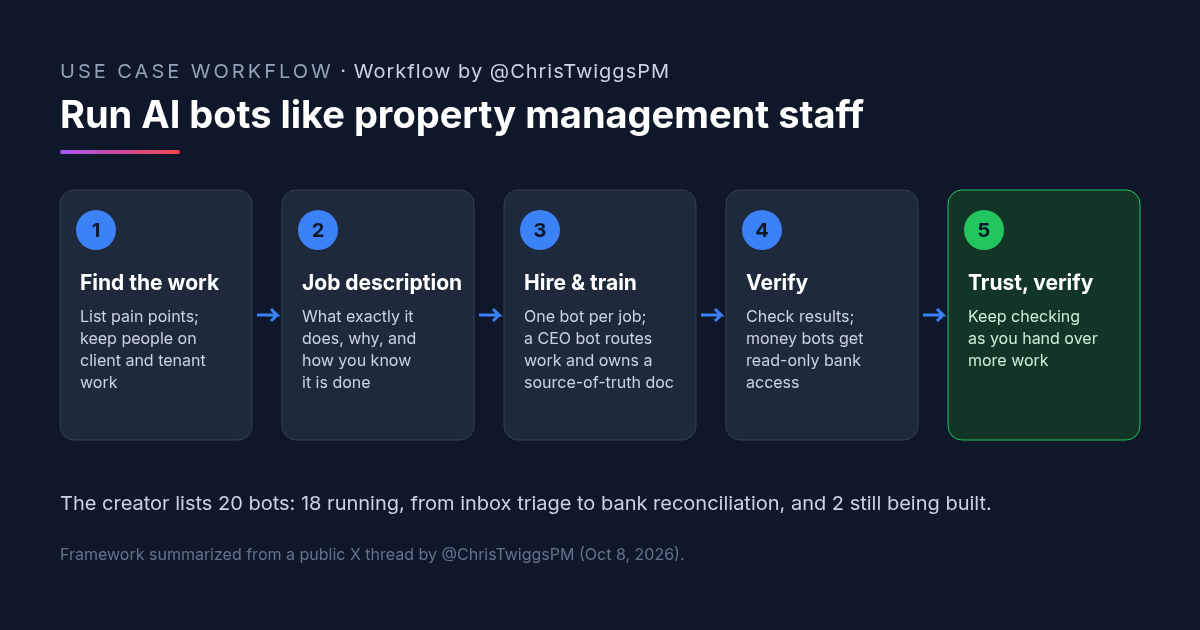
AI for Property Management: How One Property Manager Runs Grok Bots Like Staff
AI for property management: one broker runs 18 Grok Bots (2 more building) like staff. Hiring framework, job-description prompt, and checks.
Credit: @ChrisTwiggsPM · Oct 19, 2026 · 7 min read
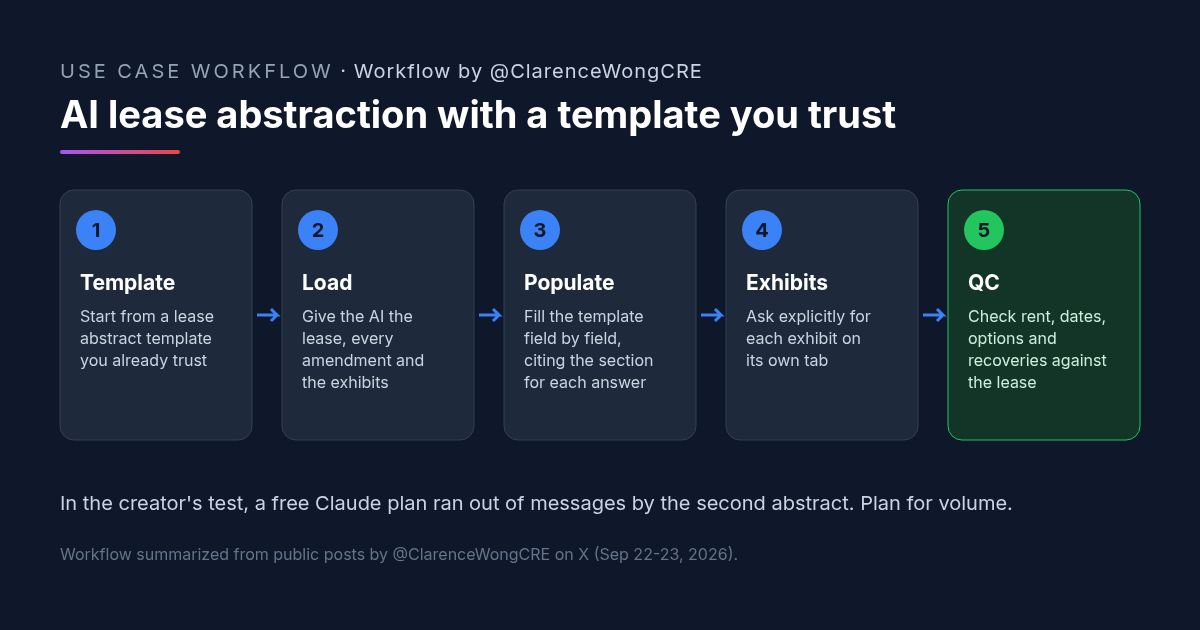
AI Lease Abstraction: Fill Your Own Lease Abstract Template With Claude or ChatGPT
AI lease abstraction: a retail acquisitions VP fills a vendor-built Excel template with Claude and ChatGPT. Workflow, prompt, and checks.
Credit: @ClarenceWongCRE · Oct 19, 2026 · 6 min read
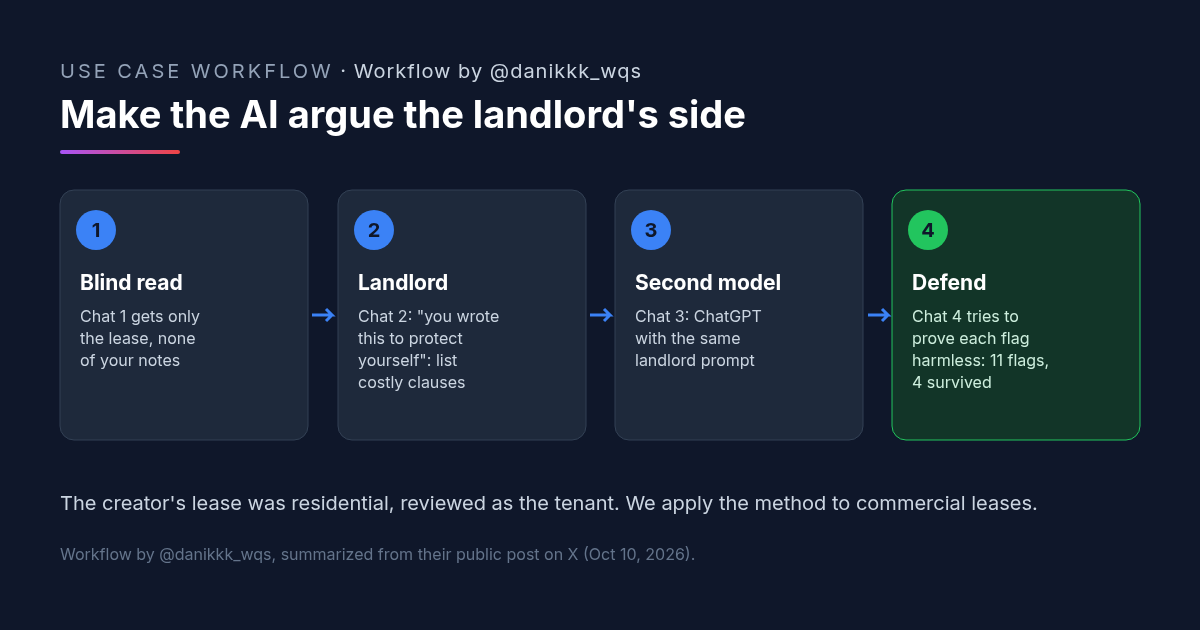
Commercial Lease Review With AI: Make Claude Argue the Landlord's Side
A commercial lease review method: give the AI the lease alone, make it argue the landlord's side, cross-check in a second model, then try to disprove each flag.
Credit: @danikkk_wqs · Oct 19, 2026 · 7 min read