Use case credit
Clarence Wong, CCIM @ClarenceWongCRE
Clarence Wong, CCIM (@ClarenceWongCRE) described this workflow in posts on X on Sep 22 and Sep 23, 2026.
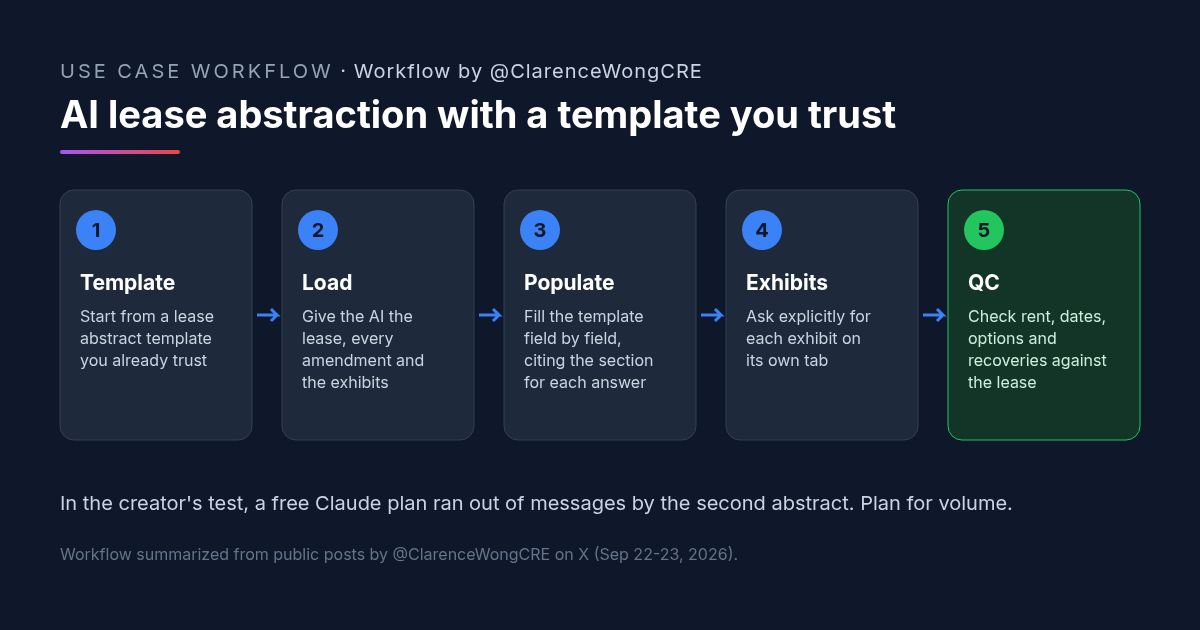
What He Did: Had AI Fill In a Vendor-Built Lease Abstract Template
Clarence works in retail acquisitions on the GP side and teaches ARGUS at UCLA Extension, according to his X profile. His team already had an Excel lease abstract template from a vendor they had hired before. Instead of writing a new format, he asked AI to fill in that template for new leases.
What he reported:
- Started with Claude. On a free plan, he ran out of messages by the second abstract and had to wait "quite a few hours" to continue.
- Ran ChatGPT in parallel. On what he called a "$20 ChatGPT Pro plan," he found ChatGPT "pretty good, but didn't copy over all the exhibits on separate tabs." His fix was to ask more explicitly for each exhibit.
- Kept going with Claude. A day later he wrote that his team is "getting Claude to populate" the vendor template "for other lease deals. It's been pretty good."
He also noted that his coworkers prefer Claude, and that he was weighing a paid Claude plan because of the message limits.
Why a Lease Abstract Template You Trust Matters
Asking an AI to "abstract this lease" invites it to decide what matters. Giving it your template removes that choice. The fields, their order, and their format are already set, so the AI's job is narrower: find each answer in the lease and put it in the right cell.
That has three benefits. Abstracts come out consistent across a portfolio. Reviewers know exactly where to look. And gaps are obvious, because an empty field stands out in a fixed layout.
His second post was a reply to someone arguing the same idea for underwriting: AI does better when you give it a model you know works and let it fill the inputs, rather than asking it to invent the structure. Clarence's template approach applies that logic to lease abstracts.
How to Try It: A Copyable AI Lease Abstraction Prompt
Open your lease abstract template in Excel, attach the lease, every amendment, and the exhibits, and paste this. Edit the field list in step 3 to match your template.
Clarence did not publish a prompt. The prompt below is CRE AI Studio's version of the workflow in his posts.
You are abstracting a commercial lease into the attached Excel lease abstract template. Attached: the lease, all amendments, and the exhibits.

1. Do not change the template's structure, field names, or order. Fill one field at a time.
2. For every value, add the source in the next column: document name, section number, and page. If a term is not in the documents, write "Not found." Do not guess or use market norms.
3. Cover at least: parties and guarantor, premises and square feet, commencement and expiration dates, base rent schedule with every step, free rent, security deposit, expense recoveries (CAM, taxes, insurance) and caps, renewal and expansion options, termination rights, co-tenancy, exclusives, use clause, assignment and subletting, and every critical date with its notice deadline.
4. Apply amendments in date order. Where an amendment changes a term, show the current term and note which amendment changed it.
5. Copy each exhibit's key content onto its own tab, named after the exhibit (for example "Exhibit B - Rent Schedule"). List every exhibit in the lease and confirm each one has a tab.
6. Finish with a "Review" tab listing any non-standard clauses, conflicts between documents, and every field marked "Not found."
If you abstract many leases, run one lease per chat. Long leases use a lot of capacity, which is what tripped up the free plan in the creator's test.
What to Check Before Anyone Relies on an AI Lease Abstract
- Rent schedule. Check every step, date and amount against the lease and the latest amendment.
- Critical dates. Option and termination notice deadlines are the costliest fields to get wrong. Verify each one.
- Amendments. Confirm the abstract shows current terms, not the original lease where an amendment changed them.
- Exhibits. Count the exhibits in the lease and make sure each has a tab. This is exactly where the creator saw a miss.
- Recoveries. CAM, tax and insurance terms, caps, and exclusions often sit in different sections. Read them together.
- Retail clauses. For retail leases, check co-tenancy, exclusives, radius restrictions and percentage rent.
- Citations. Spot-check that cited sections actually say what the abstract says.
- Confidentiality. Make sure your firm and the lease's confidentiality terms allow uploading it to the AI tool.
FAQ: AI Lease Abstraction
What is a lease abstract?
Can ChatGPT or Claude do lease abstraction?
Do I need a lease abstract template?
Is a free AI plan enough for lease abstraction?
Is AI lease abstraction accurate enough to rely on?
More AI use cases
All use cases →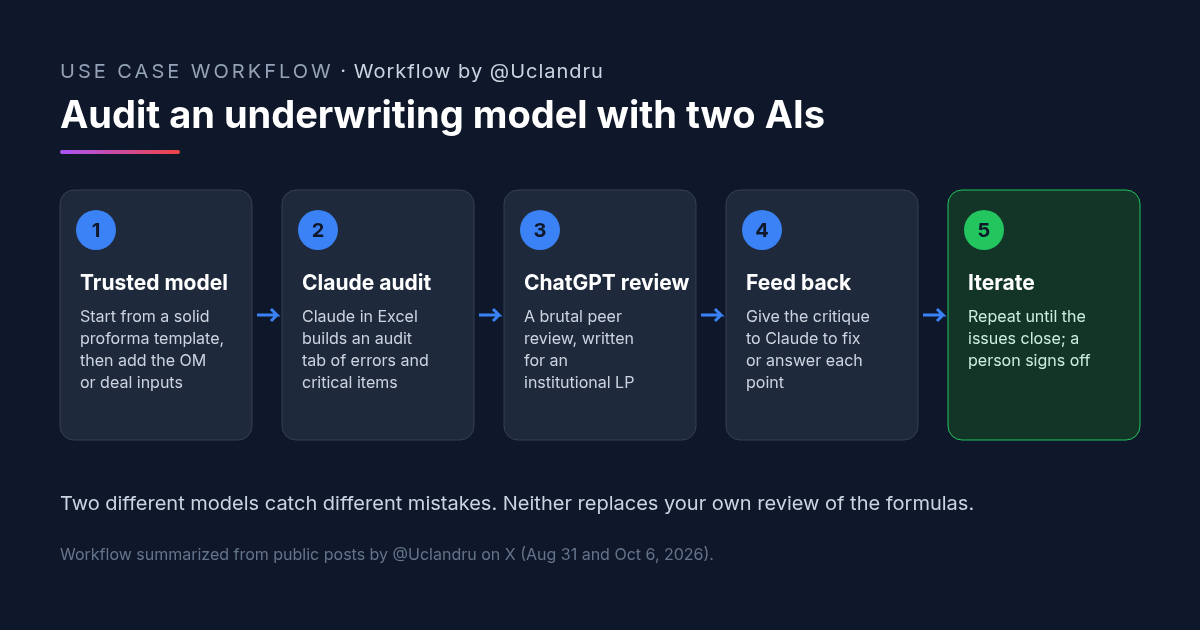
How to Review a Real Estate Underwriting Model With Claude and ChatGPT
Real estate underwriting review: Claude builds an audit tab, ChatGPT peer-reviews like an institutional associate, then back to Claude. Prompts and checks.
Credit: @Uclandru · Oct 19, 2026 · 6 min read
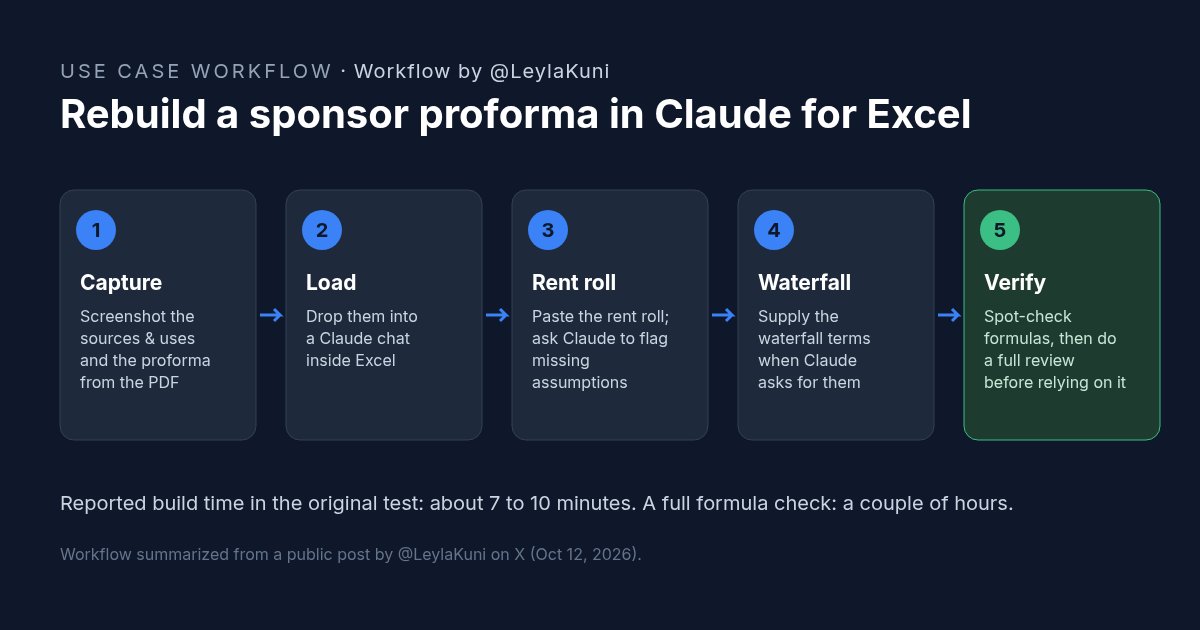
How to Rebuild a Real Estate Proforma in Claude for Excel
Rebuild a sponsor proforma in Claude for Excel from screenshots and a rent roll in about 10 minutes. Workflow, copyable prompt, and what to check.
Credit: @LeylaKuni · Oct 19, 2026 · 6 min read
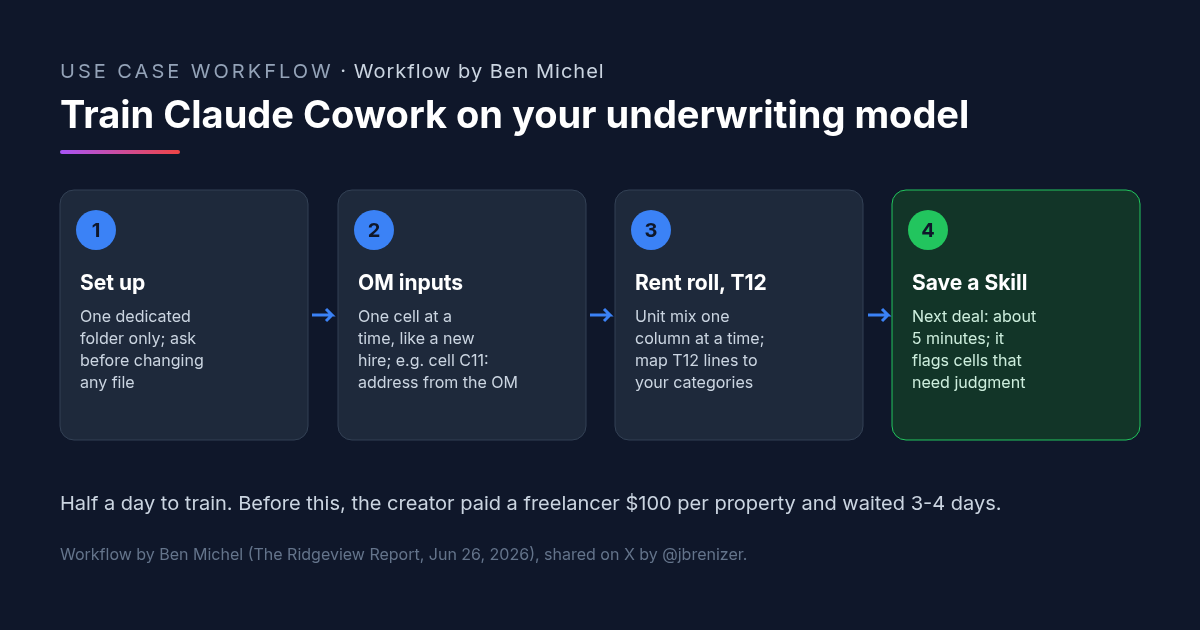
Multifamily Underwriting With Claude Cowork: How One Investor Trained It on His Own Spreadsheet
Multifamily underwriting with Claude Cowork: one investor taught it his model from the OM, rent roll and T12, saved a Skill, and now fills it in 5 minutes.
Credit: @jbrenizer · Oct 19, 2026 · 6 min read