Use case credit
JimArdorCre @ArdorJim
JimArdorCre (@ArdorJim) listed the AI system behind his brokerage, Ardor Commercial Real Estate Advisors in Charlotte, NC, in a reply on X on Oct 17, 2026.
What He Shared: An AI Chief of Staff, CRE Admin Agents and a Claude for Real Estate Skill Library
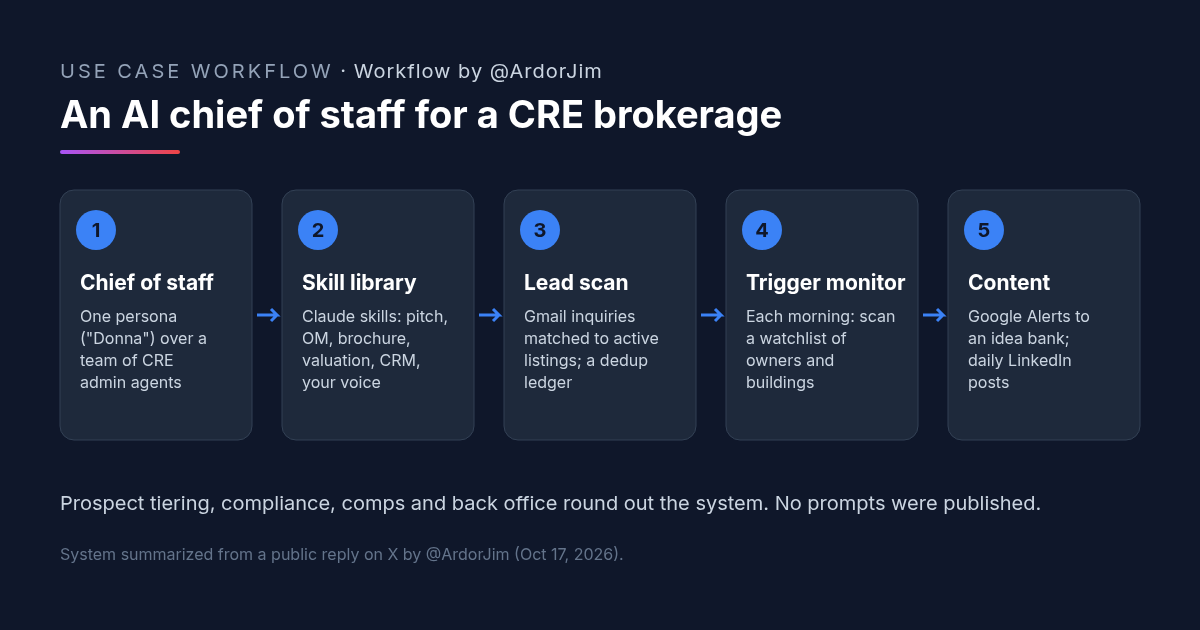
Will Curtis, a commercial broker and CRE instructor, asked on X: "What are the best AI uses you're actually seeing in commercial real estate?" Jim, founder of Ardor Commercial Real Estate Advisors in Charlotte, NC, replied with the main parts of his own system.
The first item sets the structure: "Donna. Your AI chief of staff, a single persona over a team of CRE admin agents." Much of the list is written in the assistant's voice, addressed to him ("I check your Gmail," "your watchlist"). The post lists components. It doesn't include prompts, schedules or setup steps, so this article describes the system and gives one prompt of our own to start with.
His Claude for Real Estate Skill Library
"Ardor Claude system. Your custom skill library: listing pitch, OM, brochure, valuation, value proposition, portfolio management, CRM admin, process algorithm, Navigator, HR board, your voice and team voice."
A skill library turns recurring brokerage documents into saved instructions. Two entries stand out: "your voice and team voice." Saving how the broker and the team write lets the other skills, from a listing pitch to a brochure, sound like them. This library is the one part of the system he ties to Claude by name.
Other parts of the system he lists:
- CRE Intelligence System. "Prospect tiering and business development agents tied to your CRM."
- Training and education. His CRE Masters program, a coaching engine, team process and training videos, and a workshop series.
- Compliance. "The dotloop compliance cleanup and the required-document standard for each transaction type."
- Data tools. "Your sold-transactions database and the planned market comp map."
- Content. A client framework (Position-Activate-Close), a monthly LinkedIn newsletter and blog content.
- Back office. "Commission invoices and Pryor Properties P&L and tax structure."
Four Recurring Jobs Alongside His Claude for Real Estate Skill Library
Jim doesn't say which tool runs these jobs.
- Job 1: Inbound lead scan with a dedup ledger. "I check your Gmail for new inquiries and match them against Ardor's active listings. A dedup ledger keeps the same lead from being reported twice." Matching each inquiry to a listing tells the broker which deal it is about. The ledger stops repeat alerts when a lead writes back.
- Job 2: Morning trigger monitor. "Each morning I scan your watchlist of owners and buildings for signals worth a call." The post doesn't say which signals count. For a broker, the point is a short daily list of reasons to call someone.
- Job 3: Social listening. "I process Google Alerts for Ardor and Curo and build a content idea bank."
- Job 4: Daily LinkedIn engine. "I write posts in your voice, follow your rotation and anti-AI rules, and adapt articles from" the Ardor website. A posting rotation and a set of rules against AI-sounding writing are what keep daily posts from reading like a template.
One Persona, Many Agents: Where Claude for Real Estate Fits in His System
The broker talks to one assistant. Behind it, each agent has one job: drafting from a skill, tiering prospects in the CRM, scanning the inbox, watching owners and buildings. That keeps each job small enough to check, and it gives him one place to ask what happened today. Claude appears by name only in the skill library; the post doesn't say what runs Donna or the agents.
The recurring jobs are also the easiest to judge. A lead scan either catches the inquiry or it doesn't. A watchlist scan either surfaces a reason to call or it doesn't. Those are a sensible place to start before building out a full skill library.
How to Try It: Our Claude for Real Estate Prompt for an Inbound Lead Scan
He didn't publish prompts. The prompt below is ours, modeled on the inbound lead scan he describes. Use it as a scheduled task in an assistant that can read your email, and give it read-only access to start.
You are my brokerage's chief of staff. Each morning, run the inbound lead scan.

1. Check my inbox for new inquiries since the last scan: emails from people asking about a property, a listing, a tour or pricing. Skip newsletters, vendors and internal mail.
2. Match each inquiry to one of my active listings: [paste list, or point to the listings sheet]. If it doesn't match a listing, mark it "No listing match".
3. Before reporting, check the dedup ledger at [file or sheet]. If the same person and listing are already there, don't report it again; note "follow-up" if they wrote back.
4. Add each new lead to the ledger: date, name, email, listing, one-line summary of what they asked.
5. Send me a short list, newest first: name, listing, what they asked, and the email subject so I can find it.

Do not reply to anyone, forward anything or change my CRM. I'll handle outreach.
What to Check Before You Connect Claude for Real Estate to Your Inbox or CRM
- Access level. Start read-only on email and the CRM. Add write access one job at a time.
- Missed leads. For the first weeks, compare the scan against your inbox to see what it skipped.
- The ledger. Make sure duplicates are caught without hiding real follow-ups.
- Voice files. Read every post drafted "in your voice" before it goes out, at least until you trust the rules.
- Compliance documents. Treat any AI help with transaction files as a checklist aid, not a sign-off.
FAQ: Claude for Real Estate and an AI Chief of Staff for CRE Brokers
Is Claude for real estate what runs this broker's AI chief of staff?
How does this broker use Claude for real estate?
What else is in his system besides the Claude for real estate skill library?
Do you need Claude for real estate to build an AI chief of staff?
If you build a lead scan with Claude for real estate, how do you keep it from reporting the same lead twice?
More AI use cases
All use cases →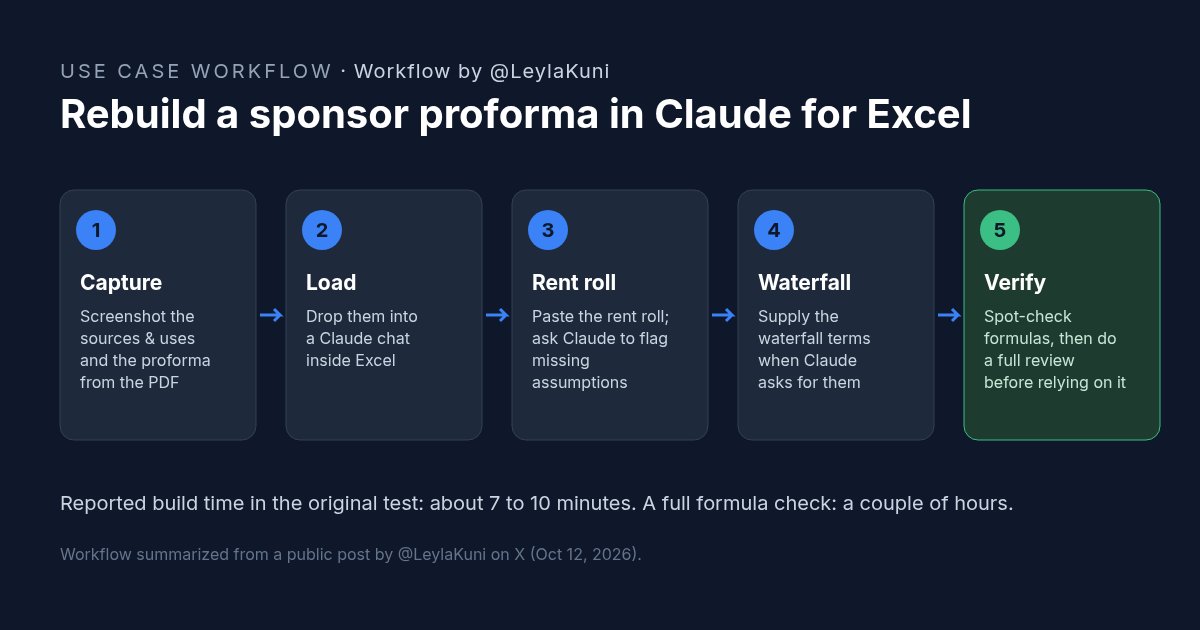
How to Rebuild a Real Estate Proforma in Claude for Excel
Rebuild a sponsor proforma in Claude for Excel from screenshots and a rent roll in about 10 minutes. Workflow, copyable prompt, and what to check.
Credit: @LeylaKuni · Oct 19, 2026 · 6 min read
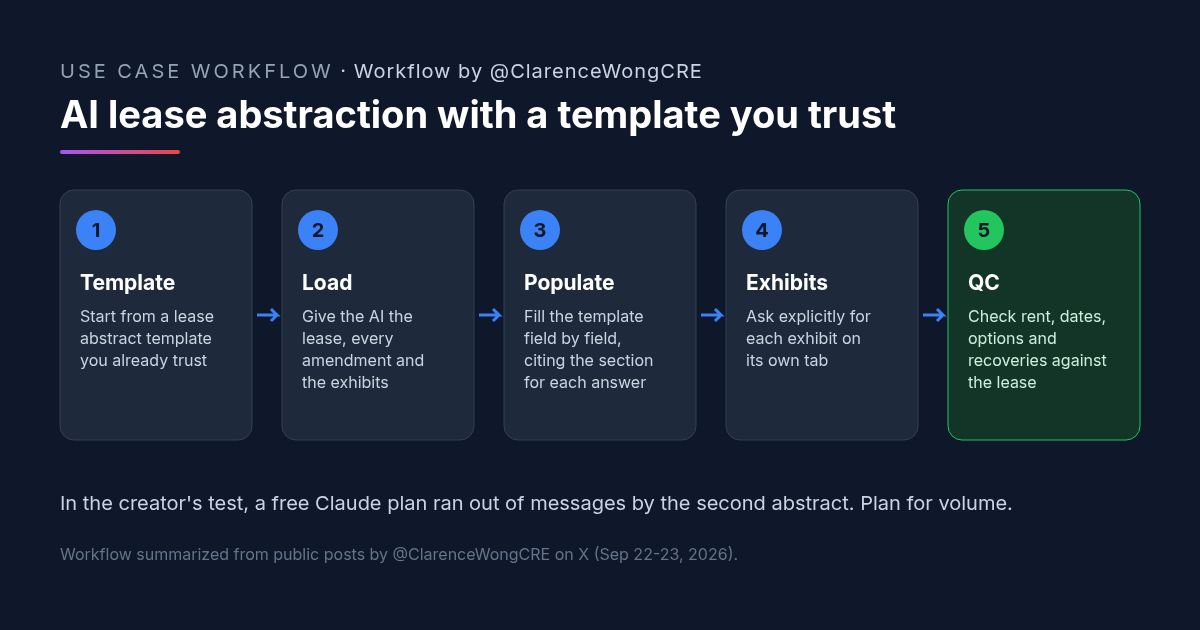
AI Lease Abstraction: Fill Your Own Lease Abstract Template With Claude or ChatGPT
AI lease abstraction: a retail acquisitions VP fills a vendor-built Excel template with Claude and ChatGPT. Workflow, prompt, and checks.
Credit: @ClarenceWongCRE · Oct 19, 2026 · 6 min read
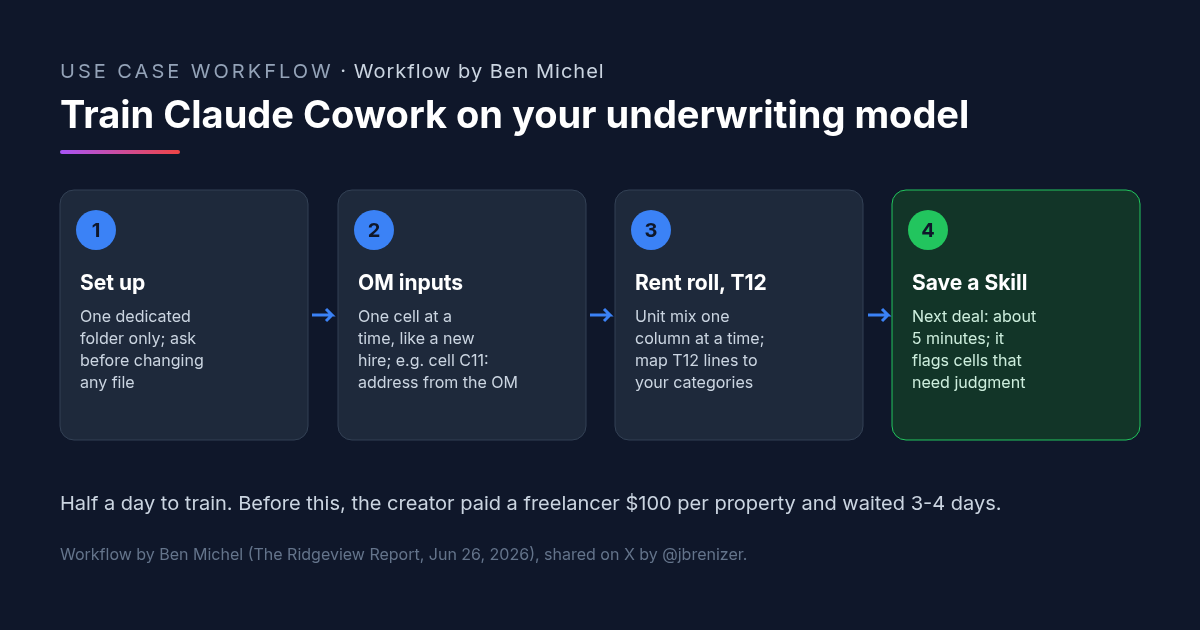
Multifamily Underwriting With Claude Cowork: How One Investor Trained It on His Own Spreadsheet
Multifamily underwriting with Claude Cowork: one investor taught it his model from the OM, rent roll and T12, saved a Skill, and now fills it in 5 minutes.
Credit: @jbrenizer · Oct 19, 2026 · 6 min read